Multiple calendars
Work, personal and university calendars. One list of alarms.
Two Google accounts, an Outlook account and your iCloud calendars do not have to mean four sets of notifications you ignore equally. Pealo reads all of them and arms one list of alarms.
- 2× Google
- Outlook
- iCloud
- One list
Team StandUp in 15 minutes
Team StandUp
Also reads:
- Google Workspace
- Outlook
- Exchange
- iCloud
How do you manage several calendars on one phone?
Connect every account to Pealo, including two of the same kind, and it merges the events into one list of alarms. A meeting in both a work and a personal calendar rings once. Each calendar keeps its own lead time and can be switched off, so holidays stay quiet while work meetings ring through Silent Mode. Pealo runs on iPhone, iOS 26.1 or later.
Why it feels different
Real mornings, real alarms
How it works
How do you connect several calendars?
Connect them one after another. The Pealo iPhone app keeps them separate in settings and merged in the alarm list.
CONNECTED
- greg@pealo.app✓ Google
- greg@gmail.com✓ Google
- greg@uni.edu✓ Outlook
1Connect each account
Sign in to Google for Google Calendar alarms, then sign in to a second Google account, then to Microsoft for Outlook and Exchange alarms, then allow access to the calendars already in the iPhone Calendar app. Each account shows up with its own address.
RING BEFORE MEETING
- 5 minutes
- 15 minutesSELECTED
- 30 minutes
2Set rules per calendar
A client calendar gets 30 minutes, a stand-up gets 5, the family calendar stays quiet before eight.
THIS WEEK
- Client callARMED
- Team StandUpMOVED
- DentistREMOVED
3Read one list
Every alarm in a single view, tagged with the account it came from. Duplicates collapsed automatically.
Reminder vs alarm
What is the difference between a calendar reminder and an alarm?
Exactly what changes when events from several calendars are handled by Pealo.
- ✕Make a sound on silent
A reminder is a notification and Silent Mode mutes notification sounds.
- ✕Show up during Focus
Most Focus setups block calendar banners entirely, so nothing appears.
- ✕Stay on screen
A banner is gone in about a second. No second chance.
- ✕Exist for other people's events
Invitations often arrive with no reminder set, or with an email one.
- ✓Rings through Silent Mode
Scheduled as a system alarm, so the mute switch does not apply.
- ✓Rings through Focus and DND
Alarms are exempt from every Focus and from Do Not Disturb.
- ✓Keeps ringing until you stop it
Starts quiet, reaches full volume over twenty seconds, then waits for you.
- ✓Follows the meeting
Moved by the organiser? The alarm moves. Cancelled? It disappears.
Features
What does Pealo do that a one-account app cannot?
What breaks when an app assumes you have one account, and what Pealo does instead.
Same-provider accounts
Two Google or two Microsoft accounts connect side by side. Most apps allow one.
Duplicate detection
A meeting forwarded from work to personal appears twice in your calendars and rings once in Pealo.
Per-calendar lead time
Different kinds of meetings need different warning. Set the default once and override per calendar.
Source shown on the alarm
The account address appears on every alarm and on the Lock Screen, so you know which life is calling.
Quiet hours per calendar
Block the university calendar overnight without silencing an early client call.
Disconnect cleanly
Remove an account and its alarms disappear with it. Nothing else moves.
Troubleshooting
Why do several calendars end in missed meetings?
The four ways multiple accounts go wrong on a phone, and what fixes each. There is a longer walk-through of managing work and personal calendars on one iPhone.
Notifications from four apps blur into noise
SolvedEach calendar app posts its own banners in its own style, and you learn to swipe them all away. One list of real alarms replaces the noise with a single sound you cannot ignore.
The same meeting alerts twice
SolvedA forwarded invitation lands in two calendars and two apps alert you. Pealo detects the duplicate and rings once.
One account is set up, the other is not
SolvedThe personal Google account never got alerts because nobody set them up. Pealo applies your lead time to every connected account.
Birthdays and holidays wake you up
SolvedEvery account brings a holidays calendar, and the same is true of the birthdays that arrive with iCloud calendars. Pealo leaves those off by default so only real meetings ring.
On the App Store
What does Pealo look like on iPhone?
Calendar Alarms — Pealo, version 1.0.1, on the App Store since 18 August 2026. Free to download, then $9.99 a month or $49.99 a year once the 7-day trial ends.
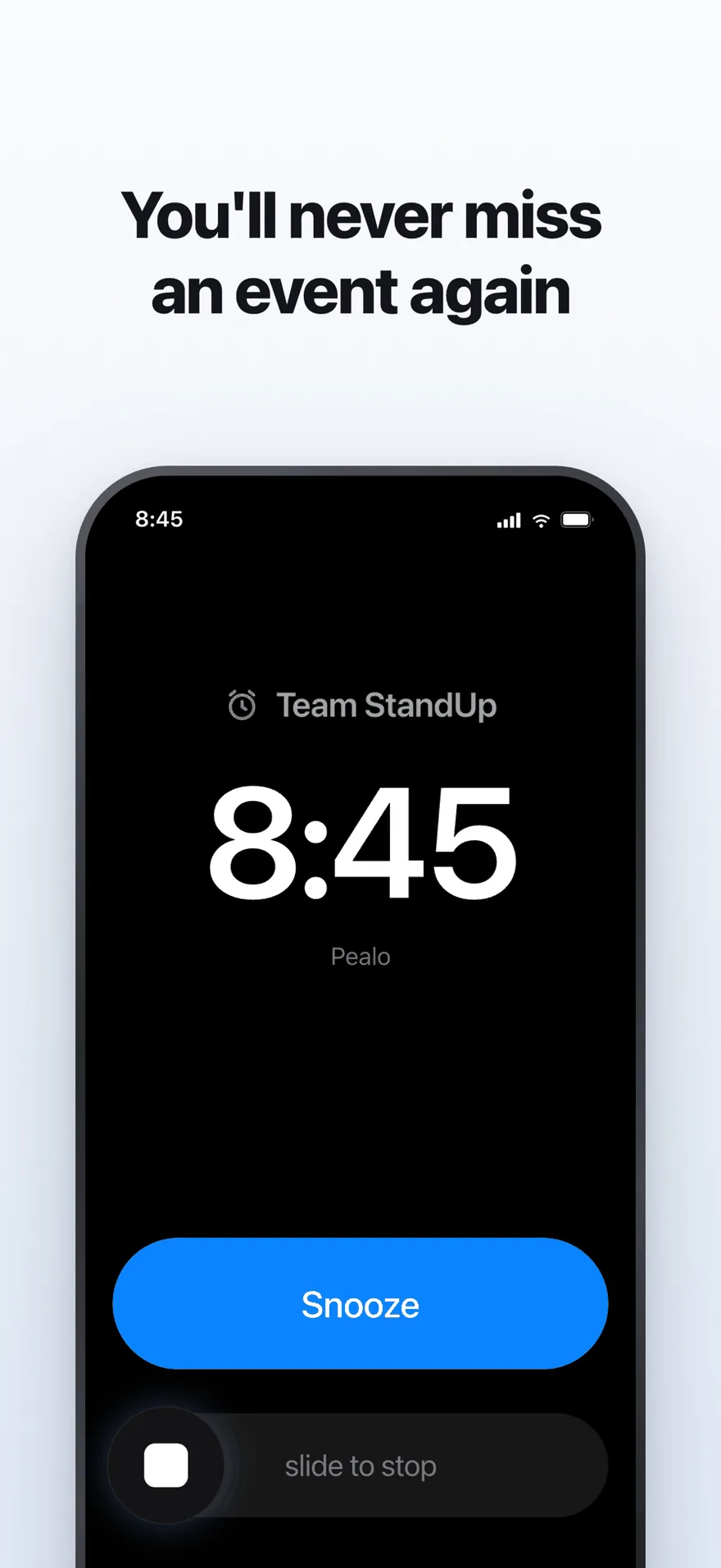
The alarm screen. It rings at full volume through Silent Mode and Focus.
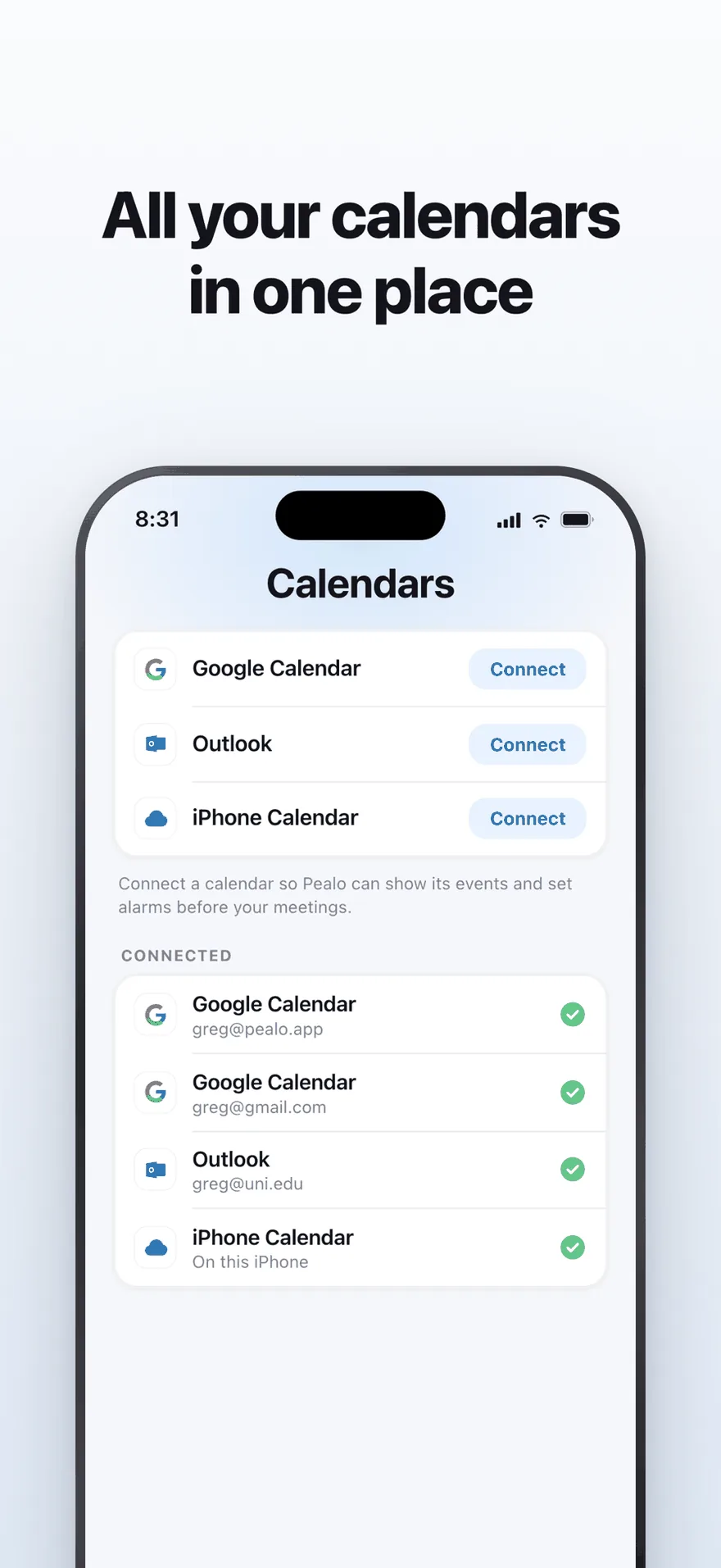
Google Calendar, Outlook and iPhone Calendar — several accounts at once.
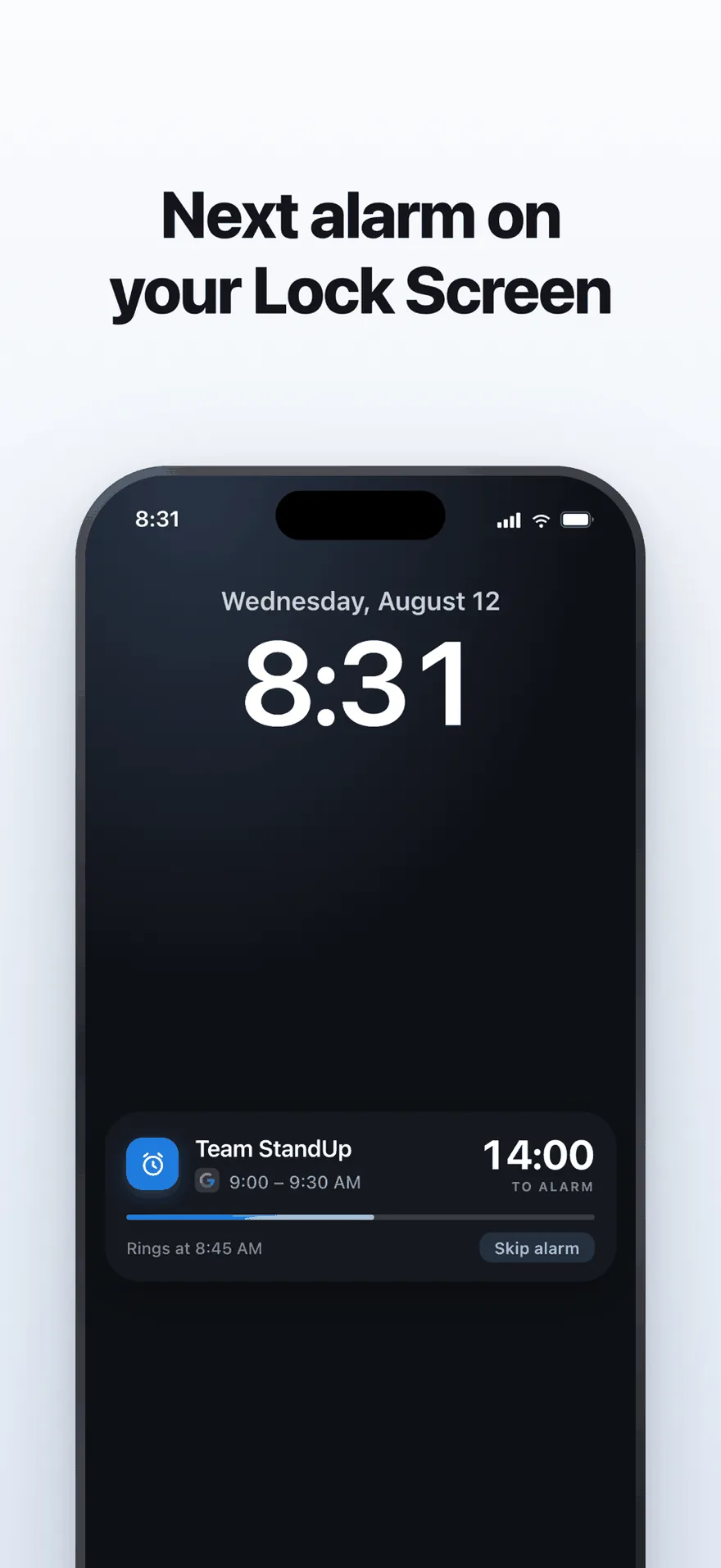
A live countdown on the Lock Screen, with one tap to skip an alarm.
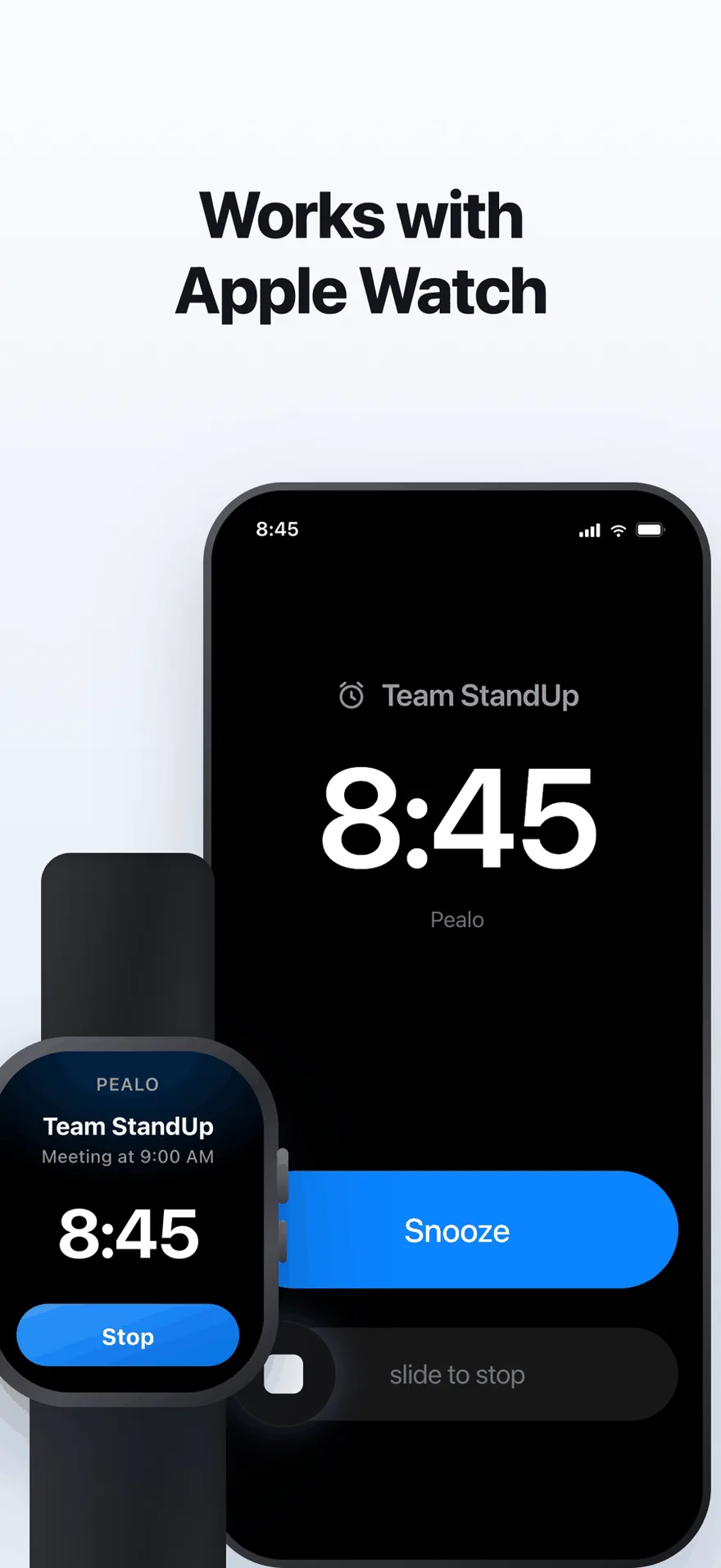
The same alarm on Apple Watch. No extra setup.
FAQ
Multiple calendars questions
Can I connect two Google accounts?
Yes. A work Workspace account and a personal Gmail account connect side by side and both feed one list of alarms.
Can I mix Google, Outlook and iCloud?
Yes, in any combination and any number.
What if the same meeting is in two calendars?
Pealo detects it and rings once. Both sources are shown on the alarm.
Can different calendars have different lead times?
Yes. Set a default and override it per calendar, for example 30 minutes for client calls and 5 for stand-ups.
Can I silence one calendar overnight but not the others?
Yes. Quiet hours can be set per calendar.
Is there a limit on accounts?
No. Every plan includes unlimited calendar accounts.
Every calendar you own. One alarm that rings.
Connect the first account and add the rest in a minute.
Download on the App StoreSeven days free · nothing changes in your calendars
Pealo on every device