Pealo for iPhone
The calendar alarm app for iPhone
Pealo reads your calendars and arms a real iPhone alarm before every meeting. It rings through Silent Mode and Focus, even when the app is closed.
- Google Calendar
- Outlook
- iCloud
- Exchange
- iOS 26.1+
PEALO ALARM
8:45
Team StandUp
Meeting at 9:00 AM
Silent Mode was on
Reads events from:
- Google Calendar
- Outlook
- iCloud
- Exchange
- Fastmail
What is Pealo for iPhone?
Pealo is an iPhone app, iOS 26.1 or later, that reads your calendars and schedules a real system alarm before each event. It uses AlarmKit, so the alarm behaves like a Clock app alarm: it sounds in Silent Mode, during any Focus, and while Pealo is shut. A Lock Screen countdown runs beforehand.
Requirements
What does your iPhone need to run Pealo?
iOS 26.1 or later. That is the whole list: no companion Mac, no shortcut to install, no automation to wire up.
The version matters for one reason. Until iOS 26, only Apple’s own Clock app could put a real alarm on an iPhone, and every other app had to make do with a notification. iOS 26 shipped AlarmKit, the framework that lets a third-party app schedule a genuine system alarm, and Pealo is built on it. An iPhone on an older version of iOS has no such mechanism to offer, so Pealo needs 26.1 or later.
Setting up
How do you get alarms running on an iPhone?
Three screens, once. After that the app can stay closed: Pealo watches the accounts you connected and keeps each alarm in step with them.
ON THIS IPHONE
- Google Calendar✓ 2 accounts
- Outlook✓ 1 account
- iPhone Calendar✓ allowed
1Sign in to the calendars you keep
Google Calendar and Outlook each sign in with their own account, and you can add more than one of either. Everything already in the iPhone Calendar app arrives when you grant calendar access on the device, which is the route an iCloud, Exchange or Fastmail account takes.
HOW EARLY?
- At the start
- 10 minutes beforeSELECTED
- 60 minutes before
2Say how much warning you want
Choose the gap between the ring and the event. Ten minutes is enough for a call you take at your desk. An hour is closer to right for something you have to travel to, or a school pickup.
KEEPING UP
- Client callARMED
- Team StandUpMOVED TO 9:30
- DentistCANCELLED
3Put the phone back in your pocket
Each alarm is handed to iOS, so Pealo does not have to be on screen or even running for it to ring. When somebody drags a meeting an hour later the alarm follows it, and when a meeting is called off the alarm goes with it.
Silent, Focus, Do Not Disturb
Why does a Pealo alarm ring on a silenced iPhone?
Because it is an alarm, not a notification. iOS treats those as two different things, and the controls you use to quieten the phone act on notifications only. Pealo asks AlarmKit for a real alarm, so the same exemption the Clock app enjoys covers it. There is a longer explanation of why an alarm rings on a silent iPhone when a calendar reminder does not.
MUTEDRINGINGBefore it rings
What does the iPhone show in the minutes before an alarm?
A live countdown on the Lock Screen, holding the event name, the time the alarm is set for and the minutes left. Lift the phone, read it, and skip it if the meeting has fallen through.
A countdown you can glance at
The minutes to the next alarm sit on the Lock Screen, so checking never means unlocking the phone.
One tap to drop an alarm
Skip sits next to the countdown. Use it on the alarm you no longer need and the rest of the day stays armed.
It rings on your wrist
A paired Apple Watch gets the same alarm and a Stop button, with no pairing step and no watch settings to find.
Twenty seconds to full volume
Quiet at the start, loud by twenty seconds, and ringing until you dismiss it rather than for a polite moment.
Alarms outlive the app
iOS holds an alarm once Pealo has scheduled it. Swipe Pealo out of the app switcher and the alarm still fires.
Built on AlarmKit
The iOS 26 machinery behind the Clock app, which is why what you hear is an alarm and not a banner you can sleep through.
Accounts
Which calendars reach your iPhone?
Google Calendar
Sign in with as many Google accounts as you keep. The page on turning Google Calendar events into iPhone alarms sets out what Pealo reads.
Work · personal · shared
Outlook
Work and university accounts sign in the same way. There is more on alarms from an Outlook calendar if your day lives in Microsoft 365.
Microsoft 365 · Exchange
iPhone Calendar
Grant calendar access and Pealo reads whatever the built-in app already holds, as the notes on alarms from the Apple Calendar app explain.
iCloud · Exchange · Fastmail
When plans move
What happens when your day changes?
A meeting is dragged later
Someone pushes the stand-up from nine to eleven. Pealo re-reads the calendar and re-sets the alarm for the new time.
A meeting is called off
The event leaves the calendar and its alarm leaves with it. Nothing rings at the time the meeting used to start.
A new invitation lands
An event added to a connected account turns up with its alarm already scheduled. There is no step where you arm it.
You change the lead time
Pick a different gap and Pealo re-schedules the alarms it manages to match.
You restart the iPhone
Scheduled alarms are not cleared by a restart. They belong to the device, not to a session the app is holding open.
You lose signal
An alarm already on the phone rings in a basement or in aeroplane mode. A connection is only needed to notice a calendar change.
Other devices
Is Pealo iPhone-only for now?
Yes. iPhone is the only version you can download and use today. A tablet app is in development and you can put your address on the iPad waiting list, and a free browser version is in development too, with its own waiting list for the web app. Mac and Android are being built as well. None of the four has shipped, none has a release date, and none has a price.
On the App Store
What do the iPhone screens look like?
Calendar Alarms - Pealo is on the App Store as version 1.0.1, published by Grzegorz Mróz on 18 August 2026. Downloading costs nothing; the subscription is $9.99 a month or $49.99 a year once the 7-day trial ends.
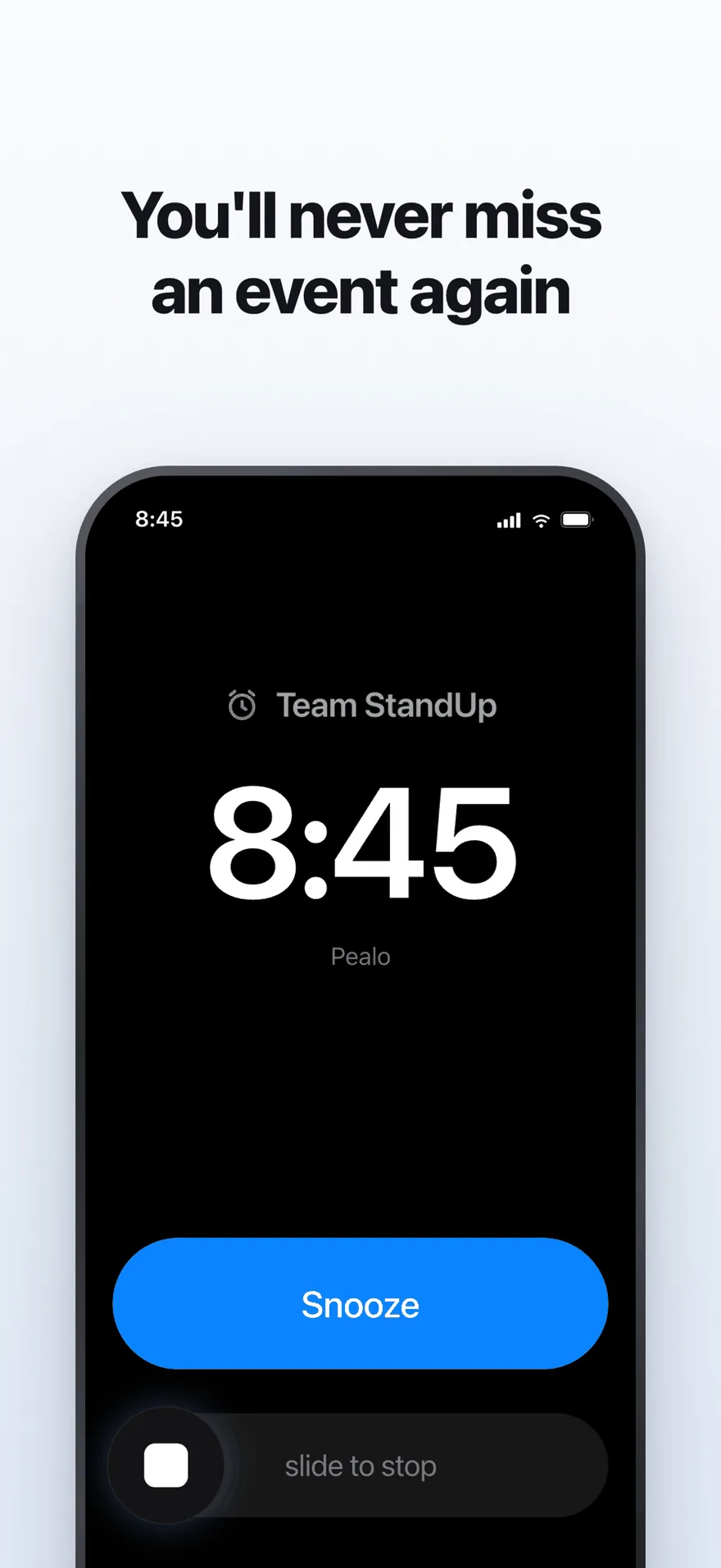
Full screen at full volume, with Silent Mode still switched on.
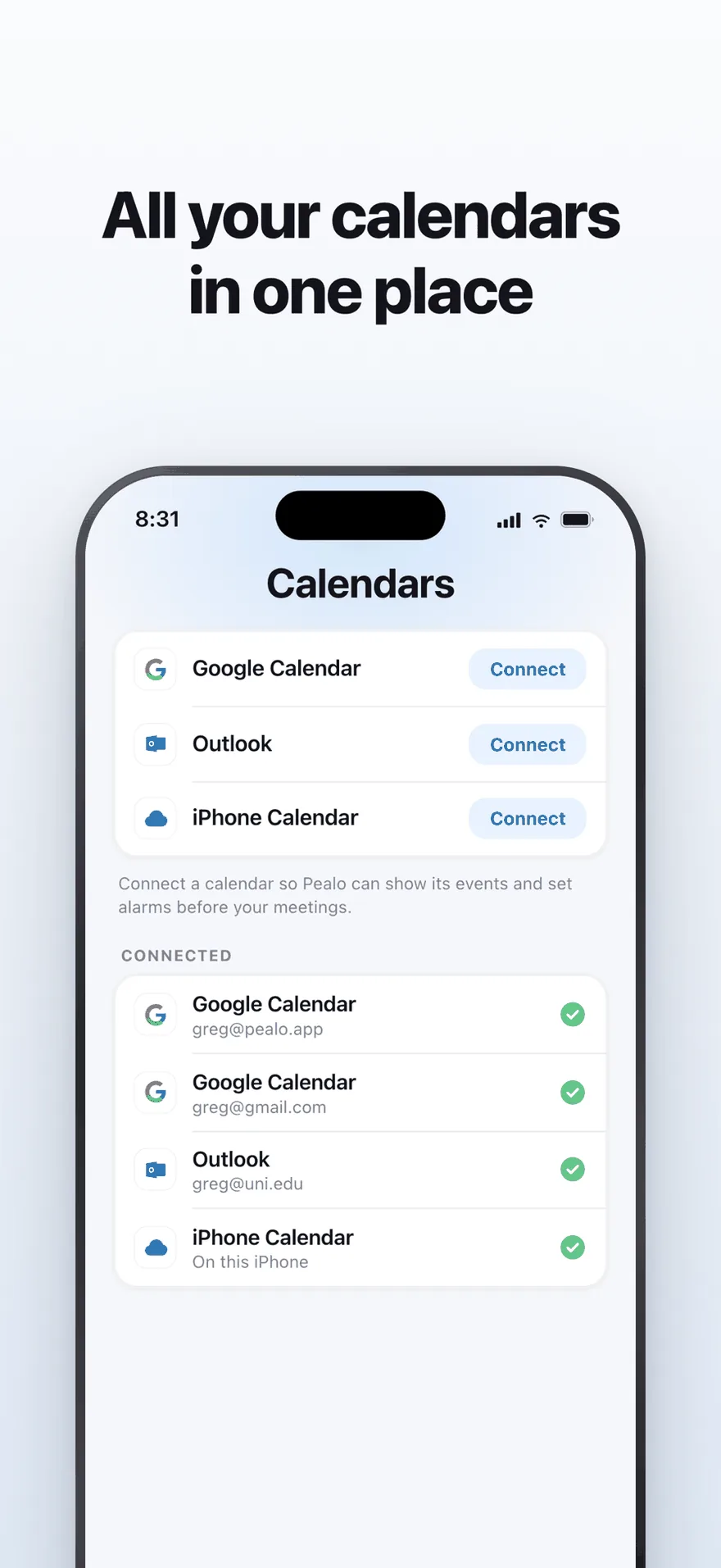
The accounts screen, with four calendars signed in.
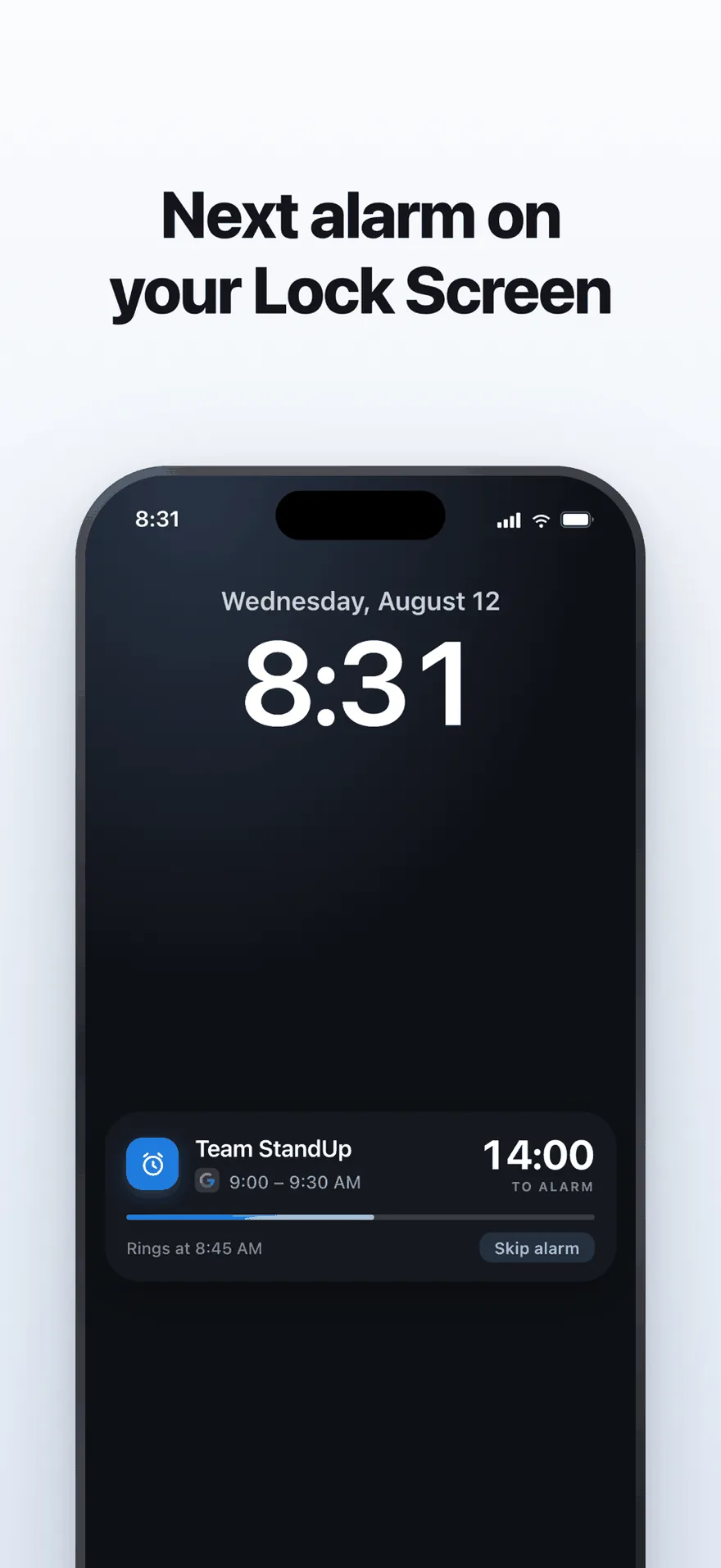
Fourteen minutes to go, and the Skip button beside the count.
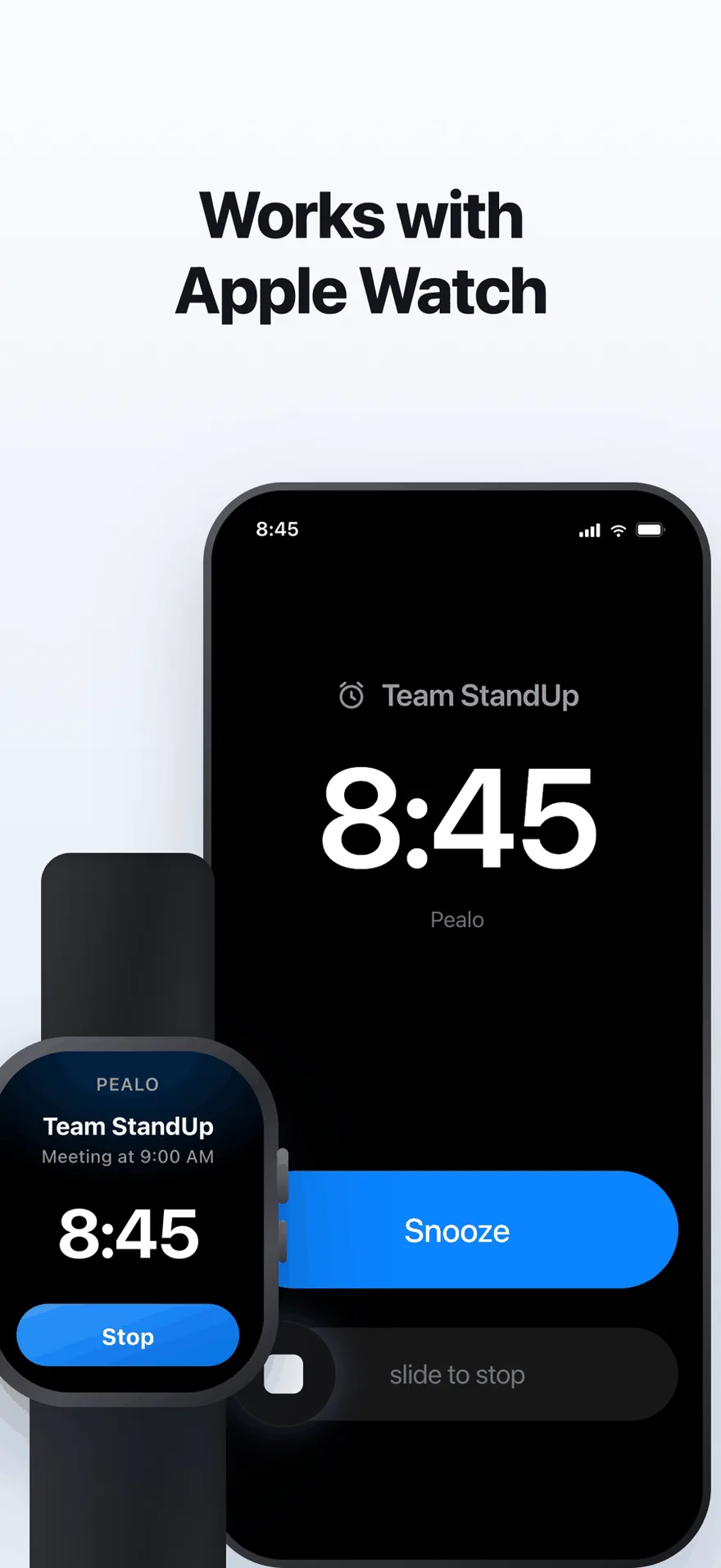
The 8:45 alarm on a paired watch, stoppable from there.
Every iPhone screenshot on the Calendar Alarms - Pealo listing
FAQ
Questions about the iPhone app
Which iPhones can run Pealo?
Any iPhone that can install iOS 26.1 or later. The alarms are created with AlarmKit, which Apple introduced in iOS 26, so there is no way to run Pealo on an earlier version of iOS.
Do Pealo alarms ring on Apple Watch?
Yes. When an alarm fires on your iPhone it reaches a paired Apple Watch as well, and you can stop it from your wrist. There is no separate watch app to install and nothing to switch on.
Do I need to keep the app open on my iPhone?
No. Pealo hands each alarm to iOS at the moment it schedules it. Close the app, swipe it out of the app switcher, or leave it unopened for weeks, and the alarms still ring on time.
What happens if I turn my iPhone off?
A phone that is switched off cannot ring. The alarm belongs to the device rather than to the app, so it is still there when you turn the iPhone back on, and it rings at its time if that time has not already passed.
What happens when a meeting moves?
The alarm moves with it. Pealo keeps reading the calendars you connected, so an event dragged to a later slot has its alarm re-set, and an event that is cancelled loses its alarm. You do not open the app to correct anything.
Does Pealo drain the iPhone battery?
No. Nothing sits in the background counting down. The alarm is stored and fired by iOS, the way a Clock app alarm is, and Pealo itself only wakes when one of your calendars changes.
What does Pealo put on the Lock Screen?
A live countdown before each alarm: the event name, the time the alarm will ring and the minutes left. It carries a Skip button, so you can drop one alarm from the Lock Screen without unlocking the phone.
Your calendar can wake you up.
Connect one account on your iPhone and this week is armed by the time you close the app.
Download on the App StoreSeven days free, then $9.99 a month or $49.99 a year · iOS 26.1 or later
Pealo on every device