In development · Pealo for iPad
An iPad calendar alarm you can read from across the room
The iPad is where you see the shape of the day. Pealo for iPad will show the next calendar alarm in type you can read from the sofa, and ring it out loud when the time comes.
- Google Calendar
- Outlook
- iCloud
- Universal Purchase
TODAY · WEDNESDAY
8:45
Team StandUp
Next alarm · in 14 minutes
Reads events from:
- Google Calendar
- Outlook
- iCloud
- Exchange
- Fastmail
In development
Pealo for iPad is coming
The iPad app is in development. Join the list and you will be the first to know when it lands, with a free trial waiting.
One email when it ships, nothing else. Unsubscribe with one click.
What is Pealo for iPad?
Pealo for iPad is in development. When it ships it will turn Google Calendar, Outlook and iCloud events into real system alarms, show the next one in type you can read across the room, and ring it through Silent Mode and Focus. There is nothing to download yet.
Pealo for iPad is in development, there is no release date, and the waiting list above is open; the iPhone app is the version you can install today.
Why it feels different
Real mornings, real alarms
How it works
How does the iPad app fit your desk?
The iPad usually sits somewhere you can see but not touch — a stand on the desk, a kitchen counter, the arm of a chair. Pealo is built for that distance.
CONNECTED
- greg@pealo.app✓ Google
- greg@gmail.com✓ Google
- greg@uni.edu✓ Outlook
1Connect once, anywhere
Sign in on any device and the calendars appear on all of them. Set it up on the phone and the iPad is already done.
RING BEFORE MEETING
- 5 minutes
- 15 minutesSELECTED
- 30 minutes
2Park it where you can see it
A large next-alarm view stays on screen with the rest of the day underneath, legible from a few metres away.
THIS WEEK
- Client callARMED
- Team StandUpMOVED
- DentistREMOVED
3Let it ring out loud
The iPad speakers are louder than the phone in your pocket. When the alarm fires in the kitchen, you hear it.
Real alarms
Does the iPad ring even on silent?
That is the plan. The iPad app is designed to schedule the same class of system alarm as the iPhone app, so Silent Mode and Focus would not apply to it either. It is not available yet, so today the iPhone app is the one that rings.
MUTEDRINGINGFeatures
Made for the big screen
Same alarms, laid out for a screen you look at rather than hold. The iPhone app already reads iCloud calendars set up in the iOS Calendar app, and the iPad app will use the same accounts.
Read from across the room
Scale the next-alarm type as large as you like. Fonts, spacing and the day list are all adjustable.
Stage Manager friendly
Run Pealo beside mail and notes in its own window without losing the countdown.
Lock Screen widget
The next alarm on the iPad Lock Screen, so a glance at a docked tablet tells you the time you have left.
Universal Purchase
Planned: an iPhone subscription would extend to the iPad app under the same Apple ID, once it ships.
Real system alarms
They ring through Silent Mode and Focus, and they fire whether the app is open or not.
Shared settings
Lead time, quiet hours and skip rules follow your account, so the iPad matches the phone.
Who it’s for
Who uses Pealo on iPad?
Home workers
The iPad on a stand becomes the clock you actually look at during the day.
Kitchen-desk families
Shared calendars, school pickups and appointments, ringing where everyone can hear.
Students
Lecture timetable on screen, next alarm always visible above the notes.
Anyone with a docked tablet
A second screen that already sits in view is the right place for a countdown.
On the App Store
What does Pealo look like on iPhone?
Calendar Alarms — Pealo, version 1.0.1, on the App Store since 18 August 2026. Free to download; $9.99 a month or $49.99 a year once the 7-day trial ends. The pricing page lists what the iPhone subscription covers, which is the only plan on sale today.
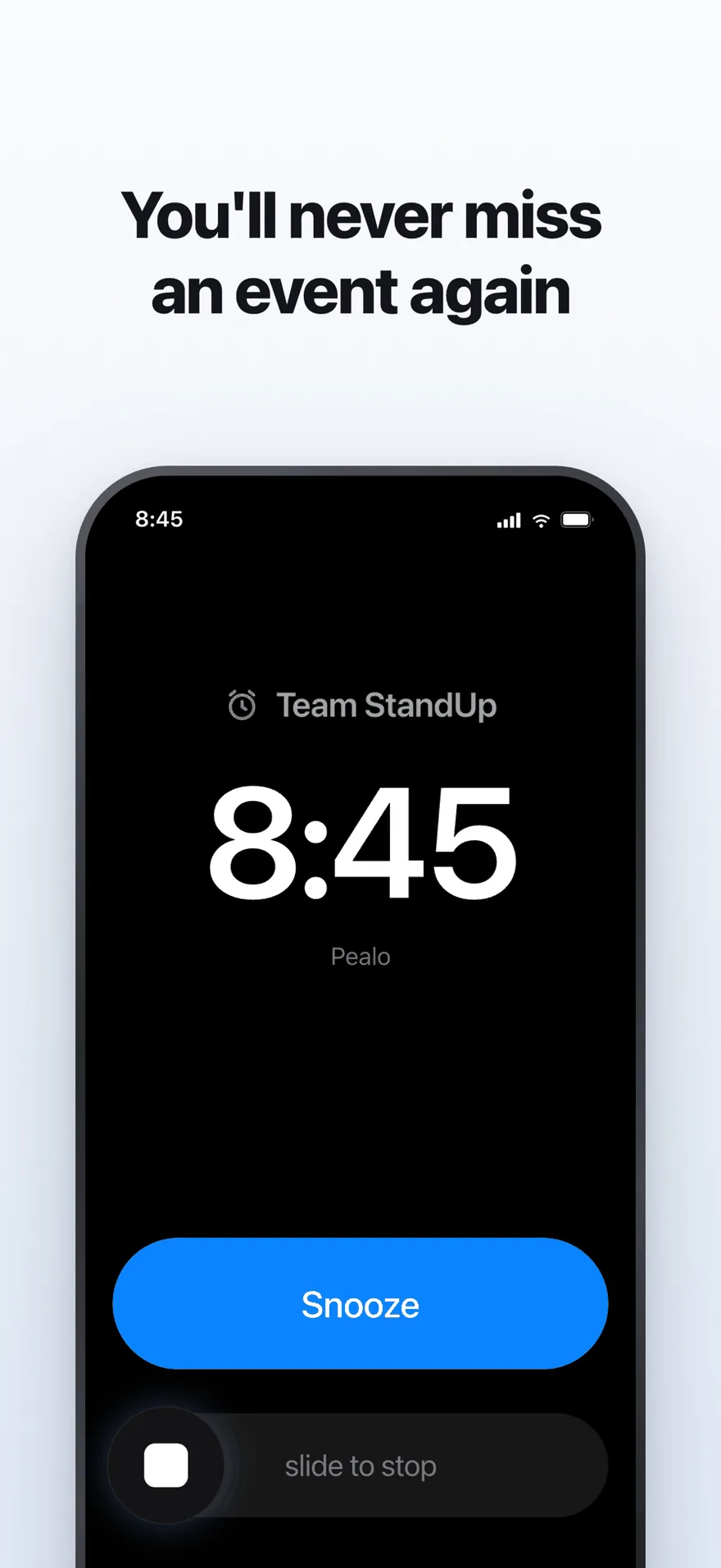
The alarm screen. It rings at full volume through Silent Mode and Focus.
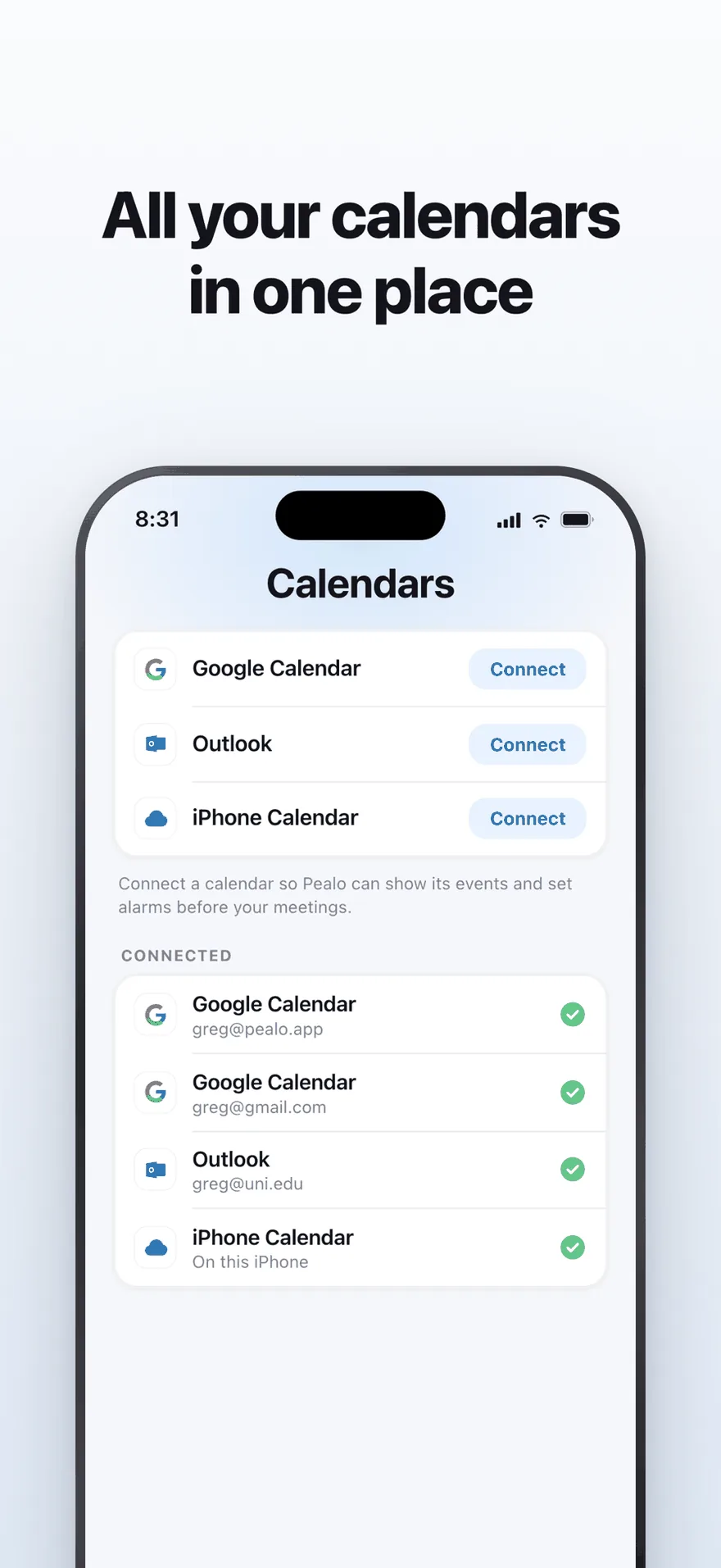
Google Calendar, Outlook and iPhone Calendar — several accounts at once.
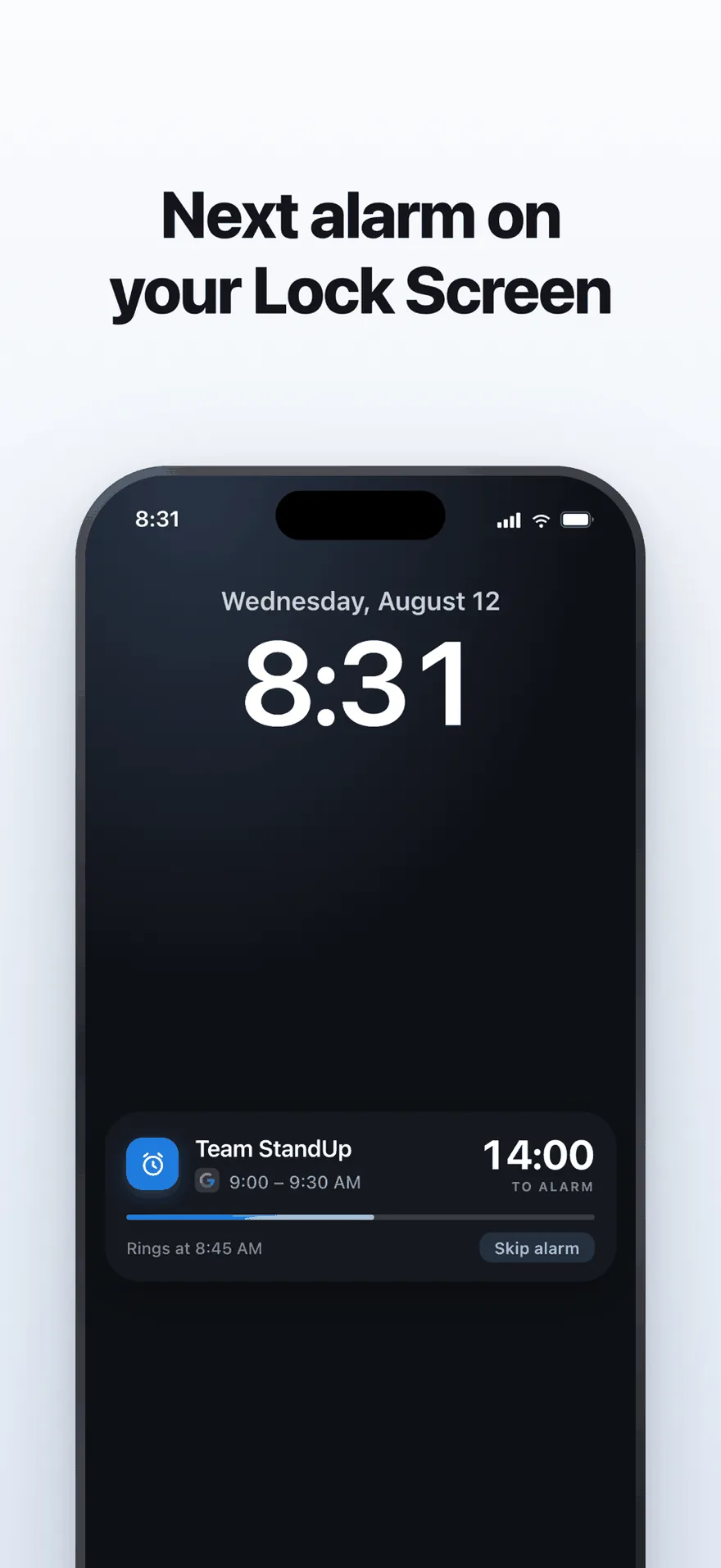
A live countdown on the Lock Screen, with one tap to skip an alarm.
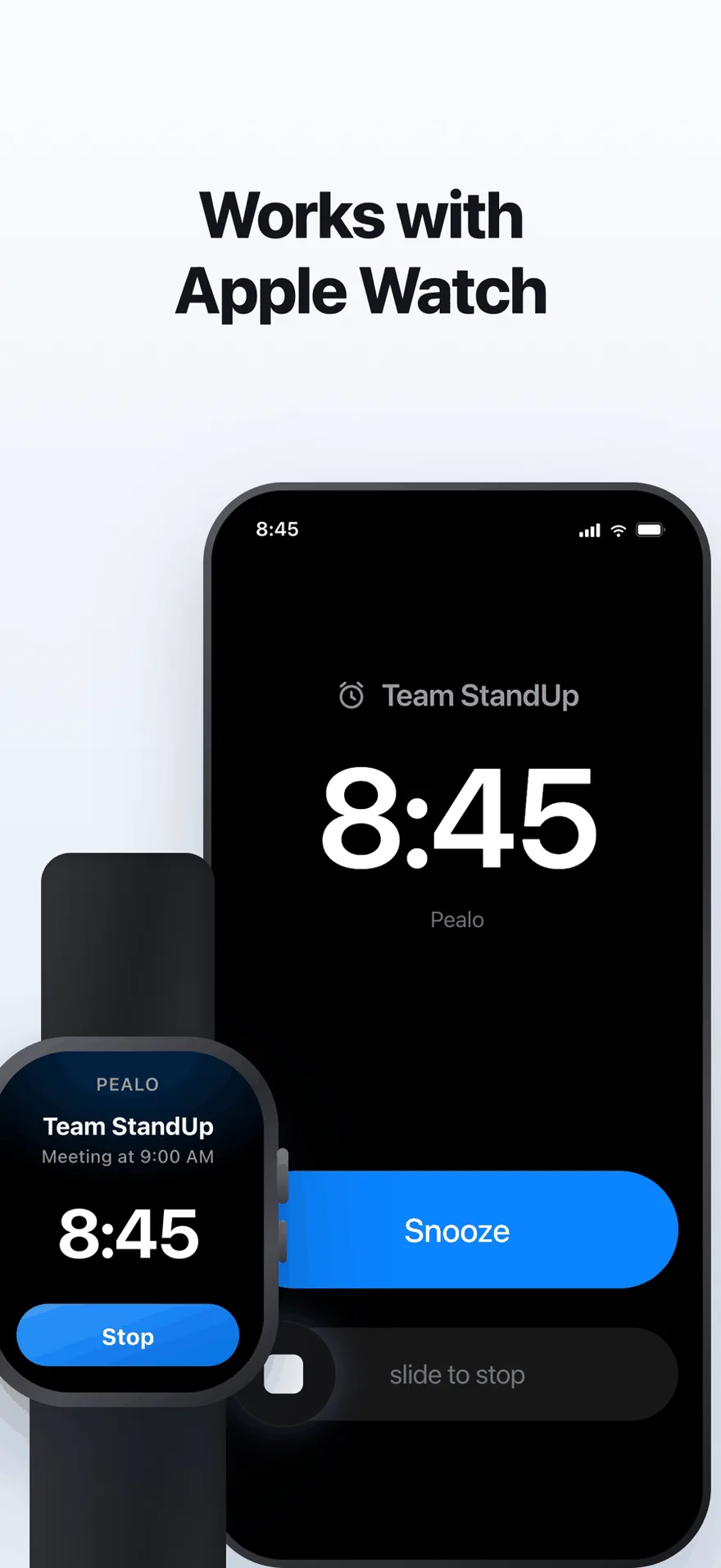
The same alarm on Apple Watch. No extra setup.
FAQ
iPad questions
Will the iPad app be a separate purchase?
No. Pealo uses Apple Universal Purchase, so the subscription you already have on iPhone will cover the iPad app when it ships.
Will alarms ring if the iPad is locked?
Yes. Alarms will be scheduled with the system, as they are on iPhone today, so they ring with the iPad locked, the app closed and Silent Mode on.
Will it work in Stage Manager and Split View?
That is the plan. Pealo will run in its own resizable window, so you can keep the countdown beside mail, notes or a browser.
Will my settings sync from the iPhone?
Yes. Connected calendars, lead time, quiet hours and skip rules follow your account, so the iPad will match your iPhone once it ships.
Will the iPad work without an iPhone?
Yes. You will connect your calendars on the iPad itself, so no iPhone is needed. There is nothing to install yet.
Be first when it ships.
Join the waiting list and we will tell you the day it opens.
Join the iPad waiting listNo release date yet · the iPhone app is what ships today
Pealo on every device