Google Calendar
Loud alarms for Google Calendar events
Google Calendar notifications are quiet by design and silenced by Silent Mode. Pealo reads the same events and rings a real alarm instead.
- Gmail
- Google Workspace
- Shared calendars
- Two accounts at once
Team StandUp in 15 minutes
Team StandUp
Also reads:
- Gmail
- Google Workspace
- Shared calendars
- Room bookings
- Tasks
How do you get a loud alarm for a Google Calendar event?
Connect your Google account to Pealo and it arms a real system alarm before every event in the calendars you choose. Google Calendar can only send notifications, which Silent Mode mutes and Focus hides. Pealo schedules an alarm instead, so the sound arrives with the phone silenced and the app closed. Several Google accounts can be connected at once. Pealo runs on iPhone, iOS 26.1 or later.
Why it feels different
Real mornings, real alarms
How it works
How do you set up Google Calendar alarms?
Nothing changes inside Google Calendar. The Pealo iPhone app reads it and adds the alarms on your device.
CONNECTED
- greg@pealo.app✓ Google
- greg@gmail.com✓ Google
- greg@uni.edu✓ Outlook
1Sign in with Google
Grant read access to your calendar list. Pealo needs event titles and times and asks for nothing else.
RING BEFORE MEETING
- 5 minutes
- 15 minutesSELECTED
- 30 minutes
2Pick the calendars that matter
Most Google accounts carry a dozen calendars. Switch on the two or three that hold real meetings and leave holidays and birthdays off.
THIS WEEK
- Client callARMED
- Team StandUpMOVED
- DentistREMOVED
3Set a lead time
Fifteen minutes suits most meetings. Pealo then arms an alarm for every event on those calendars, from now on.
Reminder vs alarm
What is the difference between a Google Calendar reminder and an alarm?
- ✕Make a sound on silent
A reminder is a notification and Silent Mode mutes notification sounds.
- ✕Show up during Focus
Most Focus setups block calendar banners entirely, so nothing appears.
- ✕Stay on screen
A banner is gone in about a second. No second chance.
- ✕Exist for other people's events
Invitations often arrive with no reminder set, or with an email one.
- ✓Rings through Silent Mode
Scheduled as a system alarm, so the mute switch does not apply.
- ✓Rings through Focus and DND
Alarms are exempt from every Focus and from Do Not Disturb.
- ✓Keeps ringing until you stop it
Starts quiet, reaches full volume over twenty seconds, then waits for you.
- ✓Follows the meeting
Moved by the organiser? The alarm moves. Cancelled? It disappears.
Features
What can Pealo do with Google Calendar?
The details that go wrong when an app treats Google as a simple list of events.
Several accounts at once
A work Workspace account and a personal Gmail account side by side, feeding one list of alarms, the same way Pealo merges work and personal calendars from any provider.
Per-calendar switches
Turn off Holidays, Birthdays and subscribed calendars so only real meetings ring.
Declined invitations skipped
If you declined, Pealo does not set an alarm. Google still shows the event; you do not need waking for it.
Recurring events tracked
A weekly stand-up arms every week, and a single moved instance moves only its own alarm.
Guest changes picked up
When the organiser moves the meeting, the alarm follows within seconds.
Duplicates collapsed
The same meeting in a work and a personal calendar rings once, not twice.
Troubleshooting
Why are my Google Calendar notifications silent?
These are the five reasons a Google Calendar alert never reaches you, and what each one actually needs. There is a longer explanation of why Google Calendar notifications are silent.
The phone is on Silent Mode
SolvedCalendar alerts are notifications, and Silent Mode mutes notification sounds system-wide. Nothing inside Google Calendar can override that. Only an alarm gets through.
Focus or Do Not Disturb is on
SolvedFocus can stop the banner appearing at all, so there is nothing to see and nothing to hear. Alarms are exempt from Focus, which is why Pealo schedules one.
The event has no notification set
SolvedEvents created by someone else often arrive with no reminder, or with an email reminder only. Pealo ignores the event settings and uses your lead time instead.
Notifications are set to email
SolvedA Google Calendar default of email notifications means nothing happens on the phone at all. Pealo does not read those settings, so it is unaffected.
The Google Calendar app is not installed
SolvedIf you read your calendar in another app, the Google notifications may never be delivered. Pealo works from the account, not from the app.
On the App Store
What does Pealo look like on iPhone?
Calendar Alarms — Pealo, version 1.0.1, on the App Store since 18 August 2026. Free to download, then $9.99 a month or $49.99 a year once the 7-day trial ends.
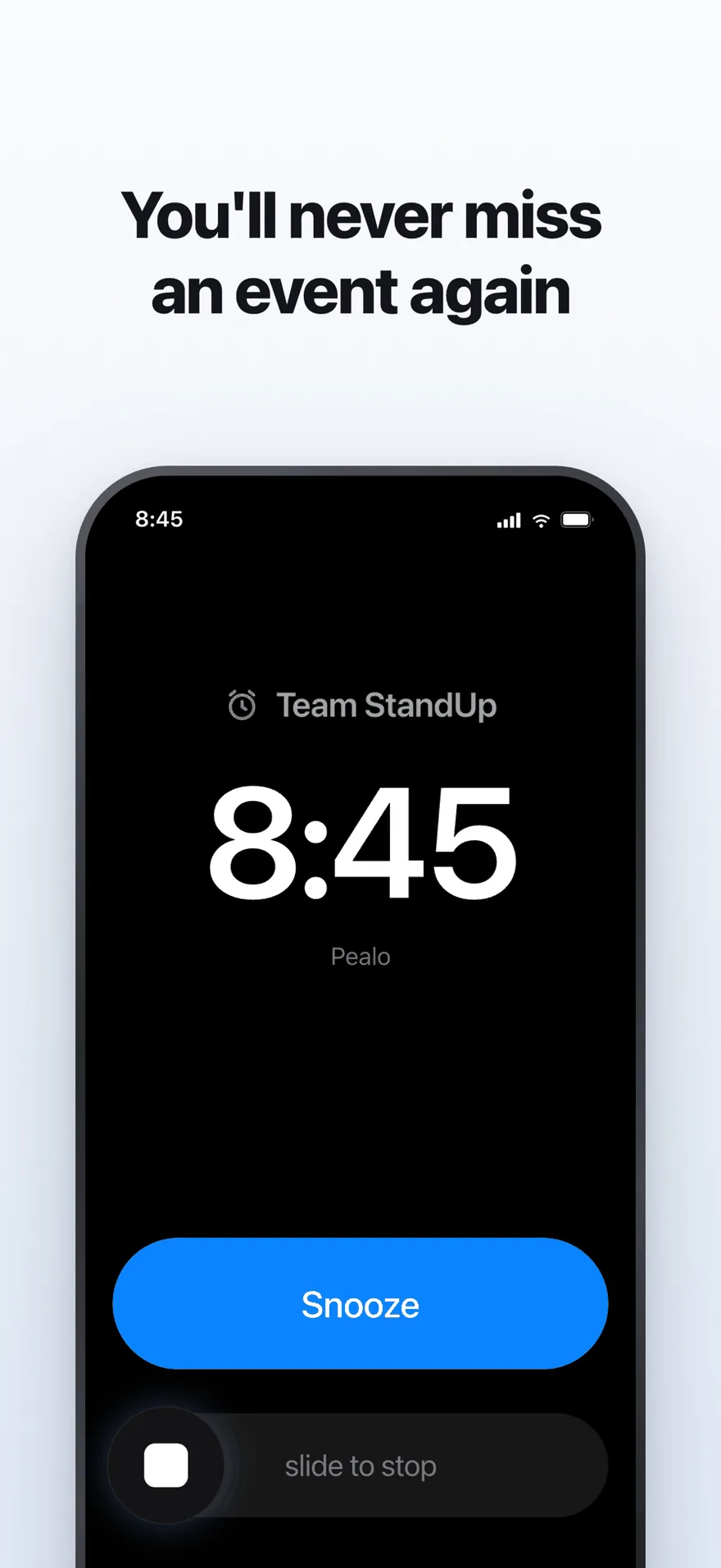
The alarm screen. It rings at full volume through Silent Mode and Focus.
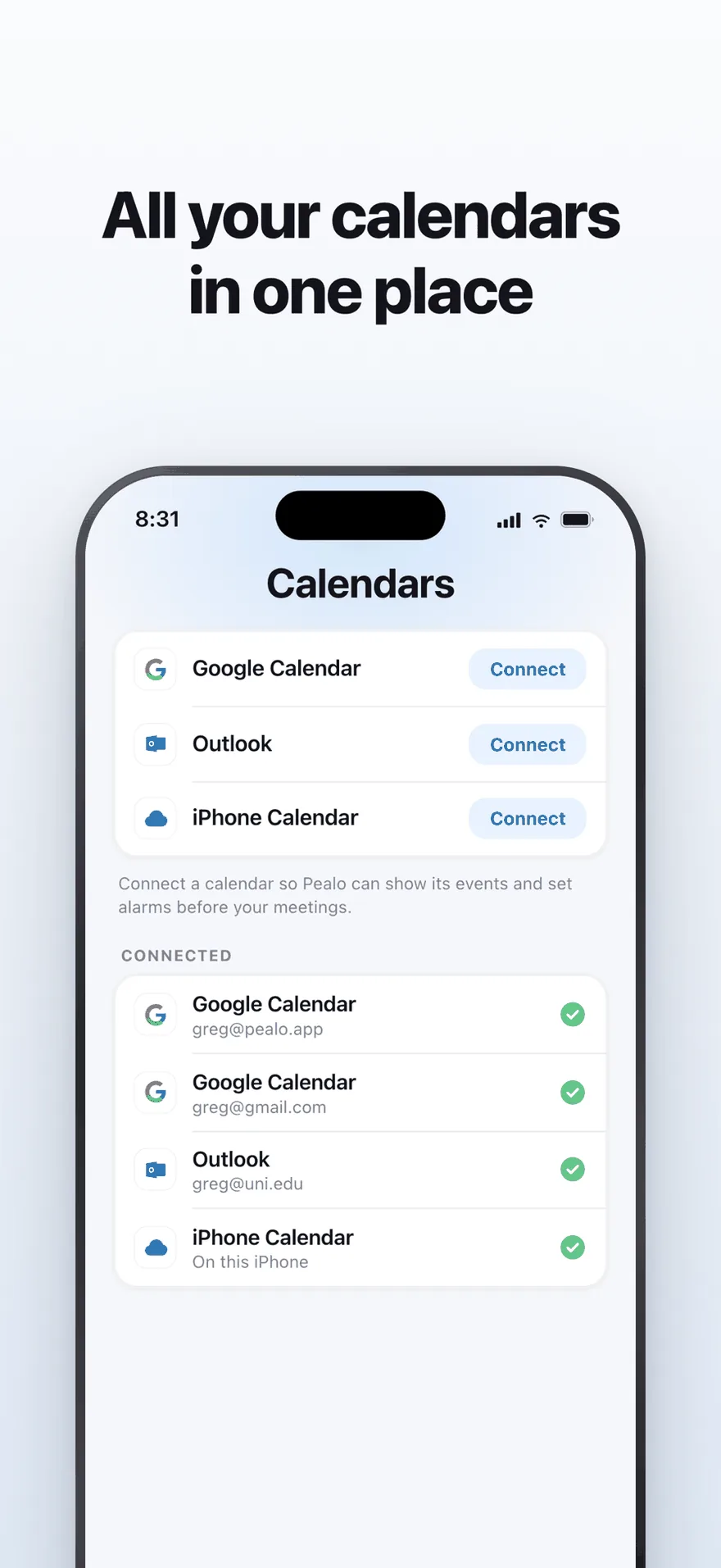
Google Calendar, Outlook and iPhone Calendar — several accounts at once.
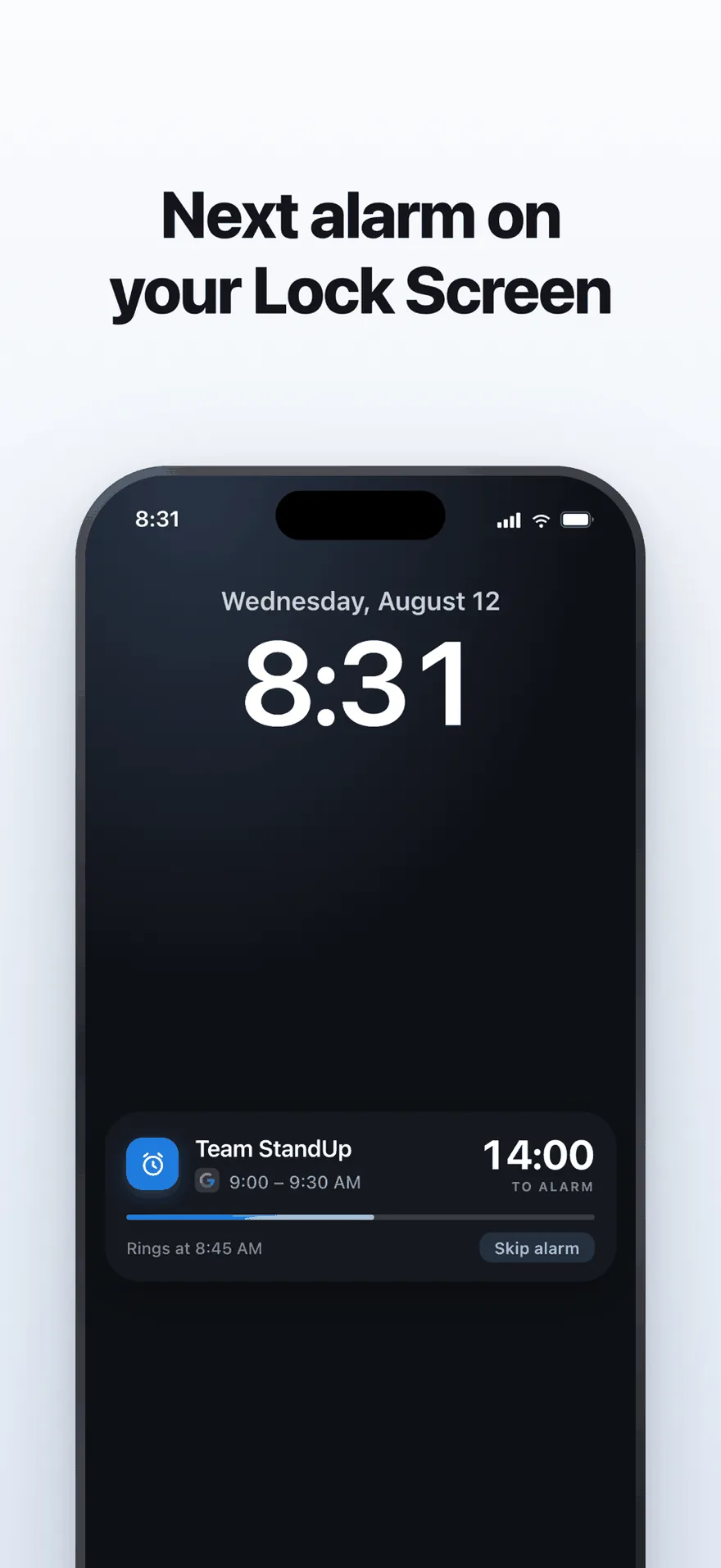
A live countdown on the Lock Screen, with one tap to skip an alarm.
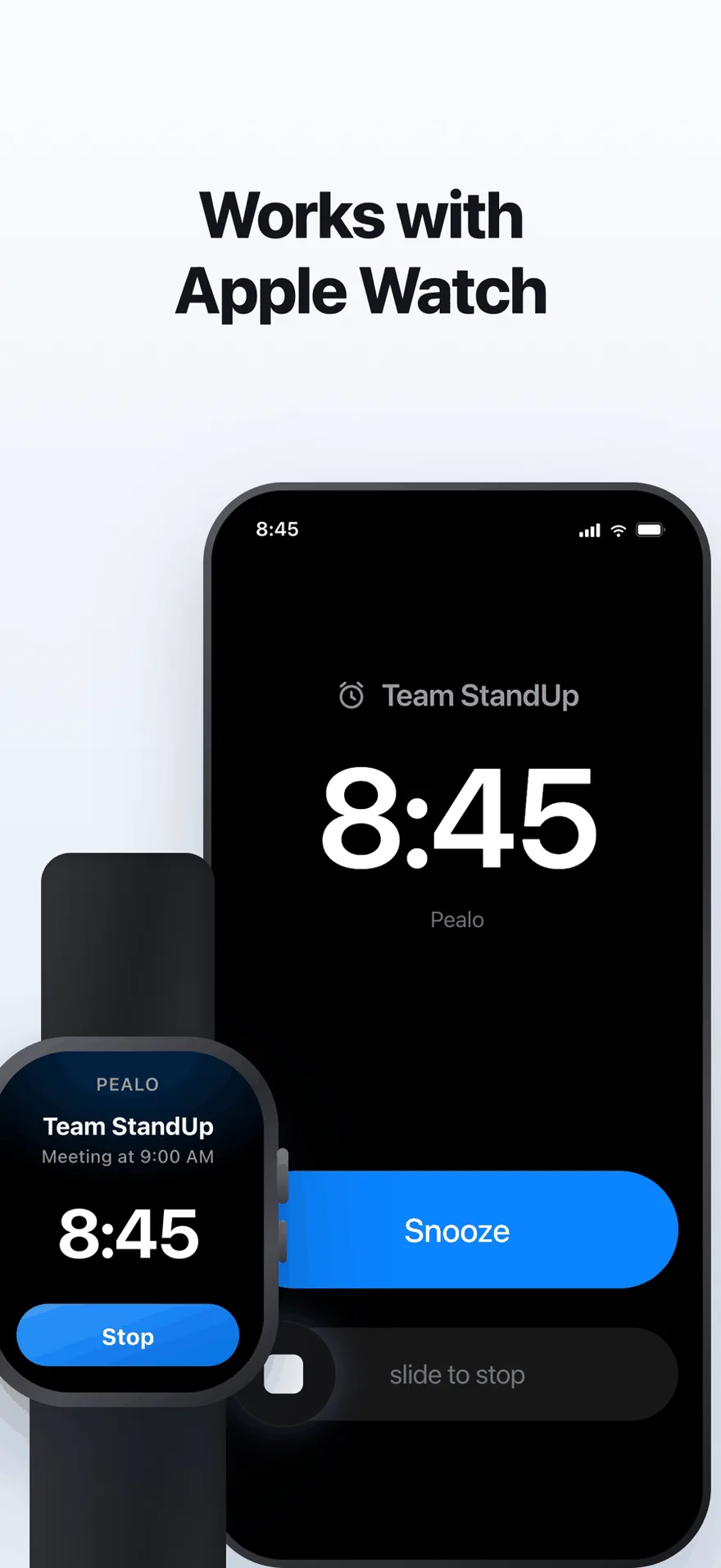
The same alarm on Apple Watch. No extra setup.
FAQ
Google Calendar questions
Can Google Calendar make a loud alarm on its own?
No. Google Calendar can only send notifications, which are muted by Silent Mode and hidden by Focus. A real alarm has to be scheduled with the operating system, which is what Pealo does.
Can I connect two Google accounts?
Yes. Connect as many Google accounts as you keep — a work Workspace account and a personal Gmail account, for example — and every one feeds the same list of alarms.
Do I have to change anything in Google Calendar?
No. Pealo reads your events and creates the alarms on your device. Your Google Calendar notification settings are left exactly as they are.
What does Pealo read from my Google account?
Event titles and start and end times from the calendars you switch on. That is what an alarm needs.
What happens when a meeting moves in Google Calendar?
The alarm moves with it, usually within seconds. If the event is cancelled the alarm disappears.
Will birthdays and holidays create alarms?
Only if you switch those calendars on. They are off by default, because nobody needs an alarm for a public holiday.
Does this work with Google Workspace?
Yes. Workspace accounts connect the same way as personal Gmail accounts, including shared and room calendars if you enable them.
Google Calendar knows. Now your phone will too.
Connect your Google account and Pealo arms the alarms from there.
Download on the App StoreSeven days free · nothing changes in Google Calendar
Pealo on every device