Pealo vs the iPhone alarm
Pealo vs the iPhone alarm: who sets it?
Both ring through Silent Mode. The difference is that one of them has to be set by you, for every meeting, every time it moves.
Compared here:
- Pealo
- the iPhone alarm
Pealo or the built-in Clock alarm?
The iPhone Clock app makes excellent alarms but cannot see your calendar, so every alarm is set and updated by hand. Pealo schedules the same kind of system alarm automatically from Google Calendar, Outlook and iCloud events, then moves or removes it when the meeting changes. For two fixed meetings a week, the Clock app is enough.
| What matters | Pealo | iPhone Clock app |
|---|---|---|
| Alarms from calendar events | Automatic, from every connected account | No, you set each one |
| Rings on silent | Rings | Rings |
| Multiple accounts | Google, Outlook, iCloud, unlimited | Reads no calendars |
| Alarm updates when a meeting moves | Yes, and it goes away if the meeting is cancelled | No, you edit every alarm by hand |
| Lock Screen countdown | Yes, live before each alarm, with one tap to skip | Not stated |
| Minimum iOS | iOS 26.1 or later | Not stated |
| Price and trial | Free to download, then $9.99 a month or $49.99 a year after a 7-day trial | Included with iOS |
| Best for | Several calendars that change weekly | Two or three fixed meetings a week |
When is the Clock app the right choice?
This is not a case of one being bad. They solve different sizes of the same problem. The Clock app and Pealo are two rows of the full nine-app comparison of calendar alarm options.
Pick the Clock app if your week barely changes
Two recurring meetings and a fixed schedule need no software. Set two repeating alarms once and you are done.
Pick Pealo if meetings move
The moment the schedule changes weekly, the manual step becomes the thing you forget. Pealo arms, moves and removes alarms as the calendar changes.
They ring the same way
Pealo uses the same AlarmKit system alarms as the Clock app, so Silent Mode, Focus and volume behave identically.
Use both
Keep the Clock app for waking up. Let Pealo handle everything with a time in a calendar.
On the App Store
What does Pealo look like on iPhone?
Calendar Alarms — Pealo, version 1.0.1, on the App Store since 18 August 2026. Free to download; $9.99 a month or $49.99 a year once the 7-day trial ends, as listed on the Pealo pricing page.
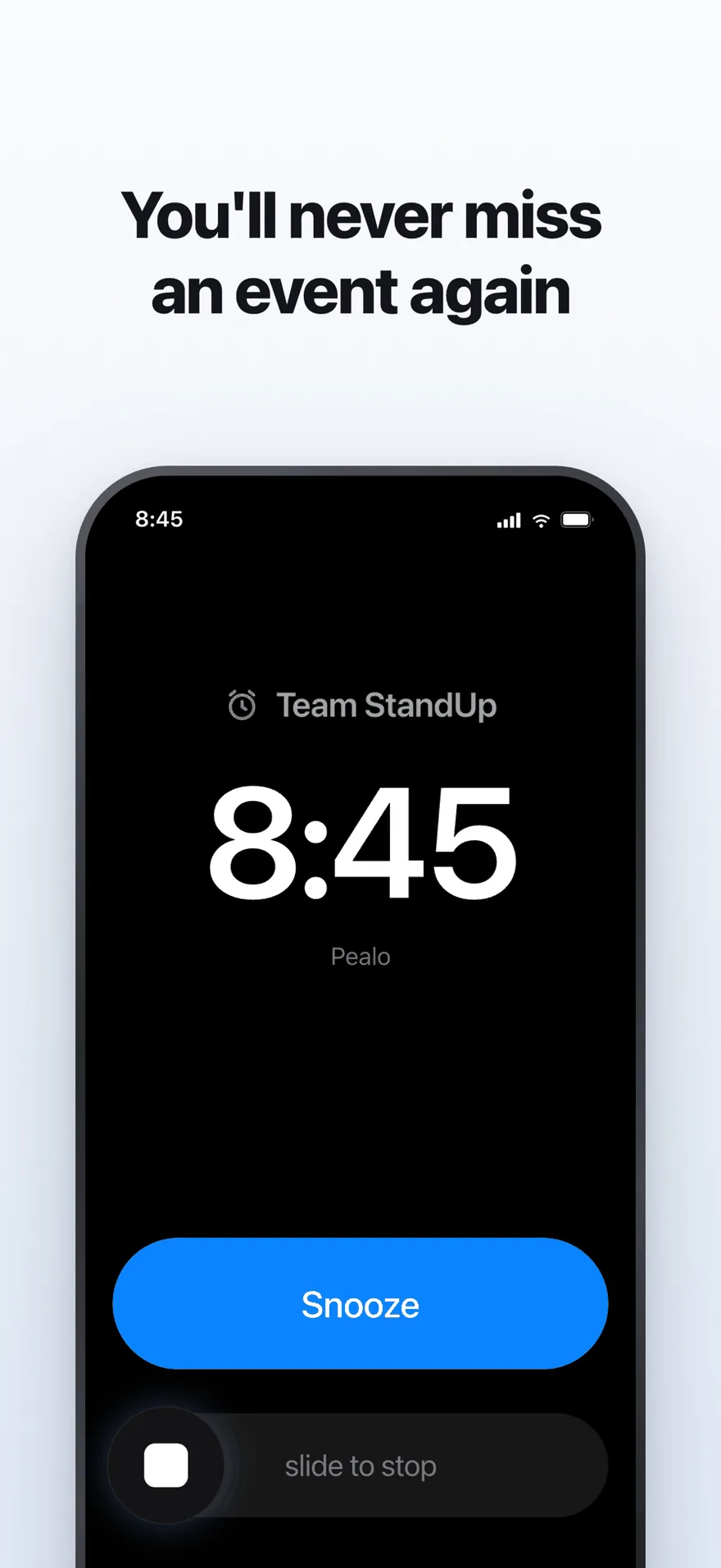
The alarm screen. It rings at full volume through Silent Mode and Focus.
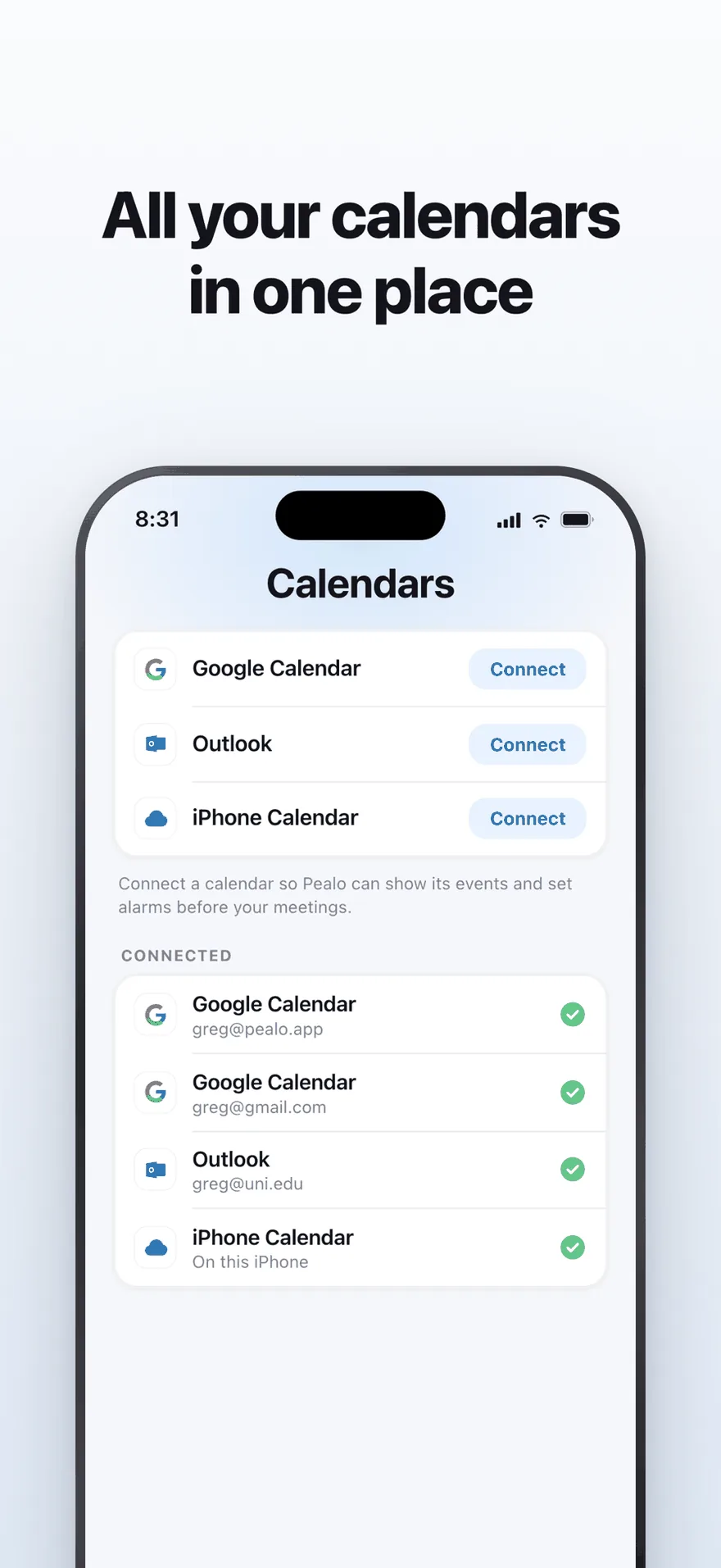
Google Calendar, Outlook and iPhone Calendar — several accounts at once.
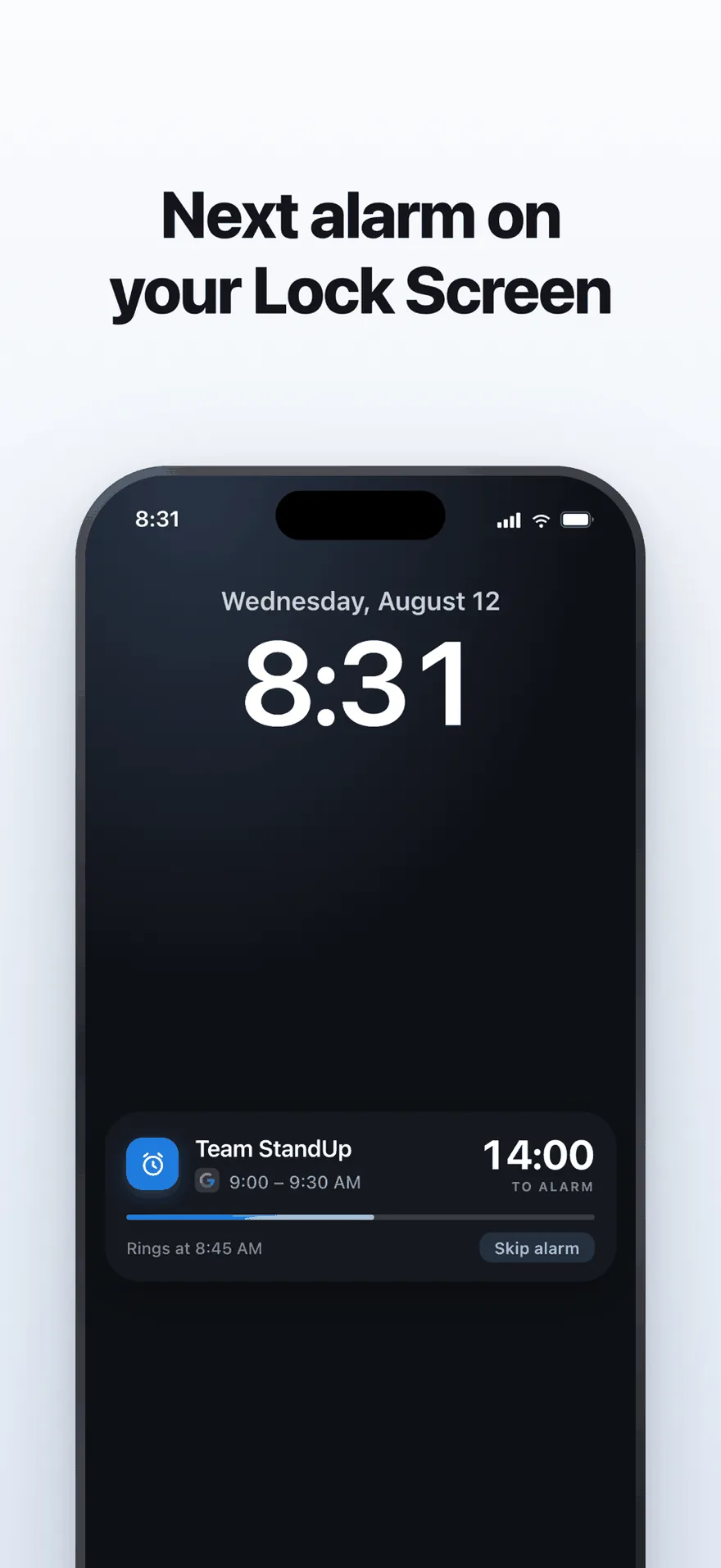
A live countdown on the Lock Screen, with one tap to skip an alarm.
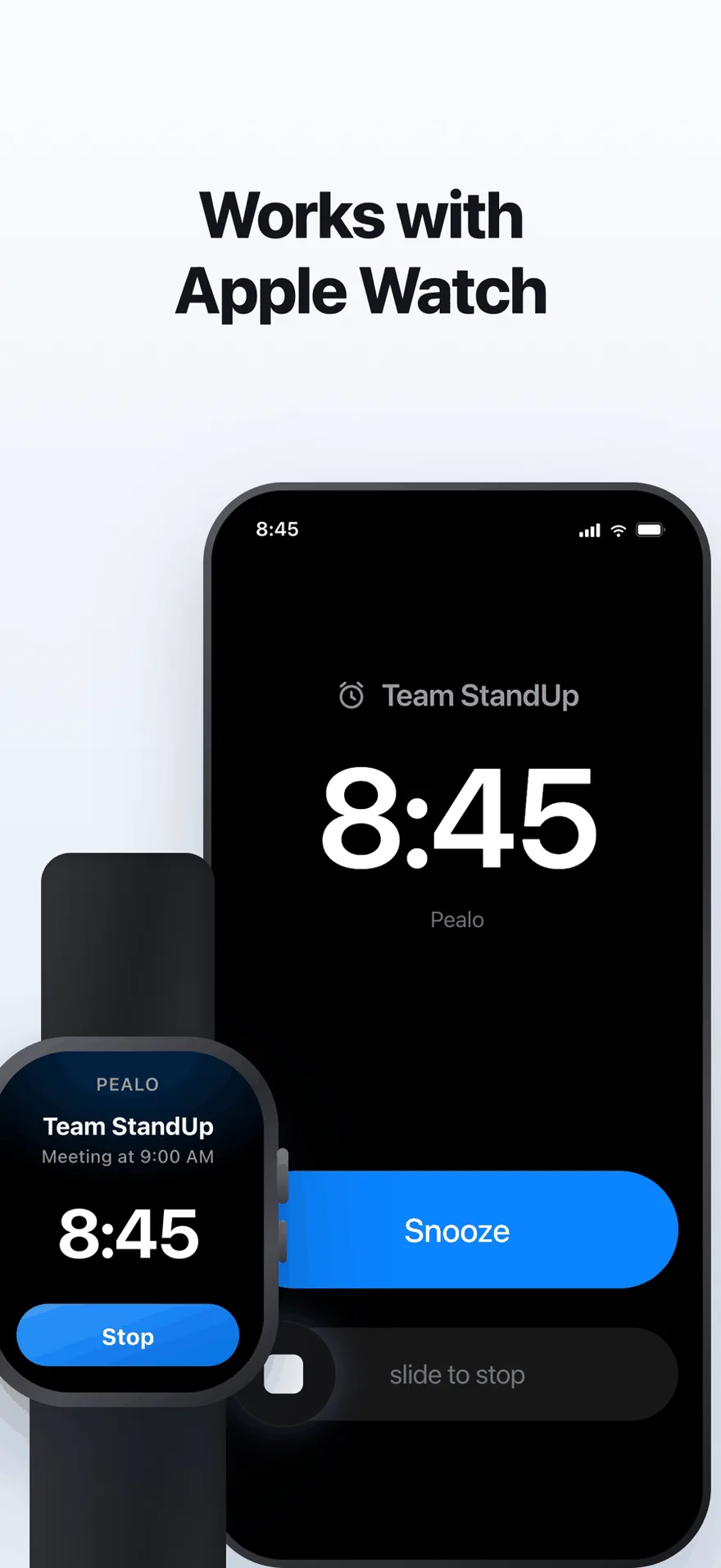
The same alarm on Apple Watch. No extra setup.
FAQ
Pealo vs the iPhone alarm questions
Can the iPhone Clock app read my calendar?
No. The Clock app has no access to calendar events, so every alarm has to be created and updated by hand.
Do Pealo alarms sound different from Clock alarms?
No. Both are system alarms. Pealo adds a set of tones and a volume ramp, but the behaviour on silent and in Focus is the same.
Does Pealo replace my morning alarm?
No. Keep the Clock app for waking up. Pealo is for events that have a time in a calendar.
Can I still set a manual alarm in Pealo?
Yes, for a one-off that is not in any calendar.
Stop setting alarms. Keep hearing them.
Connect one calendar and compare a week of alarms. Seven days free.
Try Pealo free for 7 daysSeven days free, then $49.99 a year
Pealo on every device