FAQ
Everything people ask about Pealo
How the alarms work, which calendars connect, what happens on silent, and how billing runs. If something is missing, the support page has a contact form.
What is Pealo, in one paragraph?
Pealo reads the calendars you connect and schedules a real system alarm before each event. Those alarms ring through Silent Mode, Focus and Do Not Disturb, and they fire even when the app is closed. It works with Google Calendar, Outlook, Exchange and iCloud, several accounts at once. The iPhone app is available today; other platforms are in development.
FAQ
All questions
What does Pealo actually do?
It reads the calendars you connect and schedules a real system alarm before each event, so you get a sound you cannot miss without setting anything by hand.
Do the alarms ring in Silent Mode?
Yes. Pealo schedules system alarms, and iOS lets alarms through Silent Mode, Focus and Do Not Disturb.
Do I have to open the app?
No. Calendars sync in the background and alarms are handed to the operating system, so they fire even when the app has been closed for days.
Which calendars can I connect?
Google Calendar, Outlook, Exchange, Office 365 and iCloud, plus the iPhone Calendar app. Several accounts of the same kind are allowed.
Can I connect two Google accounts?
Yes. A work account and a personal account can be connected at the same time and both feed one list of alarms.
How early does the alarm ring?
You pick a lead time from the start of the meeting up to an hour before, and you can override it per calendar.
What happens when a meeting moves?
The alarm moves with it, usually within seconds. Cancelled meetings lose their alarm automatically.
Can I skip one alarm without disabling the rest?
Yes. One tap skips the next alarm and leaves the rest of the day untouched.
Can I stop certain events from ringing?
Yes. Switch off whole sub-calendars and skip declined invitations, all-day entries and meetings shorter than a length you choose.
What are quiet hours?
A window where nothing rings. Useful when a calendar in another timezone would otherwise wake you at five in the morning.
Will an alarm ring after a restart or with no signal?
Yes. Once scheduled, an alarm lives on the device. A connection is only needed to pick up new calendar changes.
Does Pealo drain the battery?
No. Calendar changes are pushed rather than polled, and alarms are handed to the operating system, so nothing sits awake waiting.
Is there a Lock Screen countdown?
Yes. A live count to the next alarm appears on the Lock Screen and, on iPhone, in the Dynamic Island.
What if the same meeting is in two calendars?
Only one alarm rings. Pealo detects duplicates across connected accounts.
Which devices does Pealo run on?
iPhone today, on iOS 26.1 or later — Pealo uses AlarmKit, which Apple introduced in iOS 26, so earlier versions cannot schedule a real alarm. iPad, Mac, Android and the free web app are in development, each with a waiting list.
Does one purchase cover all my Apple devices?
It will. Universal Purchase covers iPhone, iPad and Mac under one Apple ID, so the iPhone subscription will unlock the iPad and Mac apps when they ship. Android pricing is not announced, because the Android app is still in development.
How much does it cost?
$9.99 a month or $49.99 a year, both with a 7-day free trial. The yearly plan is 58% cheaper than monthly.
When am I charged?
After the 7-day trial ends. Cancel before then and you are not charged.
How do I cancel?
Through App Store subscription settings, or Google Play on Android. Access continues to the end of the paid period.
Can I change alarm sounds?
Yes. There is a full set of tones with previews, so a meeting alarm can sound different from your morning one.
Does the volume ramp up?
Yes. The sound starts quiet and reaches full volume over twenty seconds, then keeps going until you stop it.
Is there an Apple Watch app?
There is no separate Watch app. Because Pealo creates native alarms, they behave like your usual alarm clock.
Do my settings sync between devices?
Yes. Connected calendars, lead time, quiet hours and skip rules follow your account.
Are there ads?
No, on any plan, including the free web app.
Jump to:
- Alarms
- Silent Mode
- Calendars
- Multiple accounts
- Lock Screen
- Quiet hours
- Billing
- Devices
- Offline
On the App Store
What does Pealo look like on iPhone?
Calendar Alarms — Pealo, version 1.0.1, on the App Store since 18 August 2026. Free to download; $9.99 a month or $49.99 a year once the 7-day trial ends.
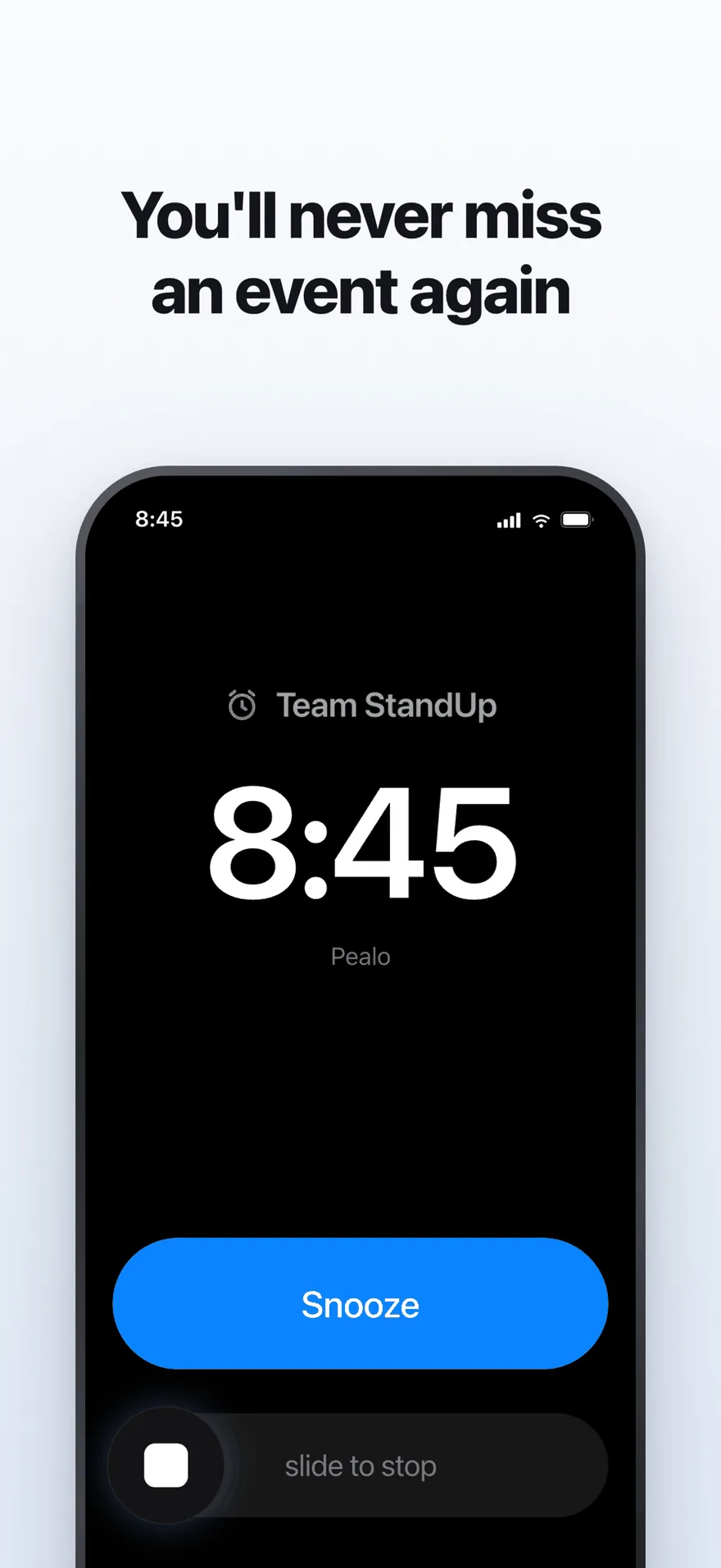
The alarm screen. It rings at full volume through Silent Mode and Focus.
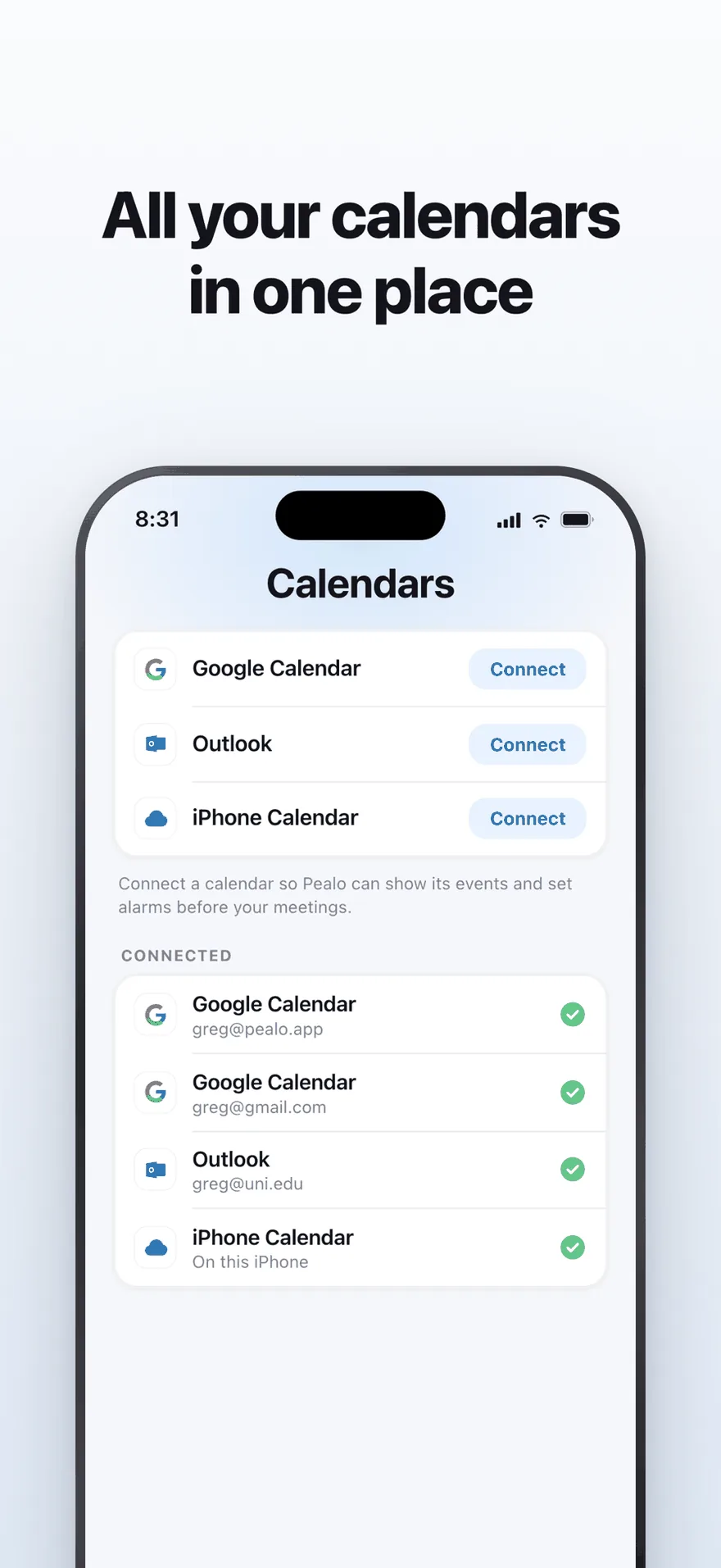
Google Calendar, Outlook and iPhone Calendar — several accounts at once.
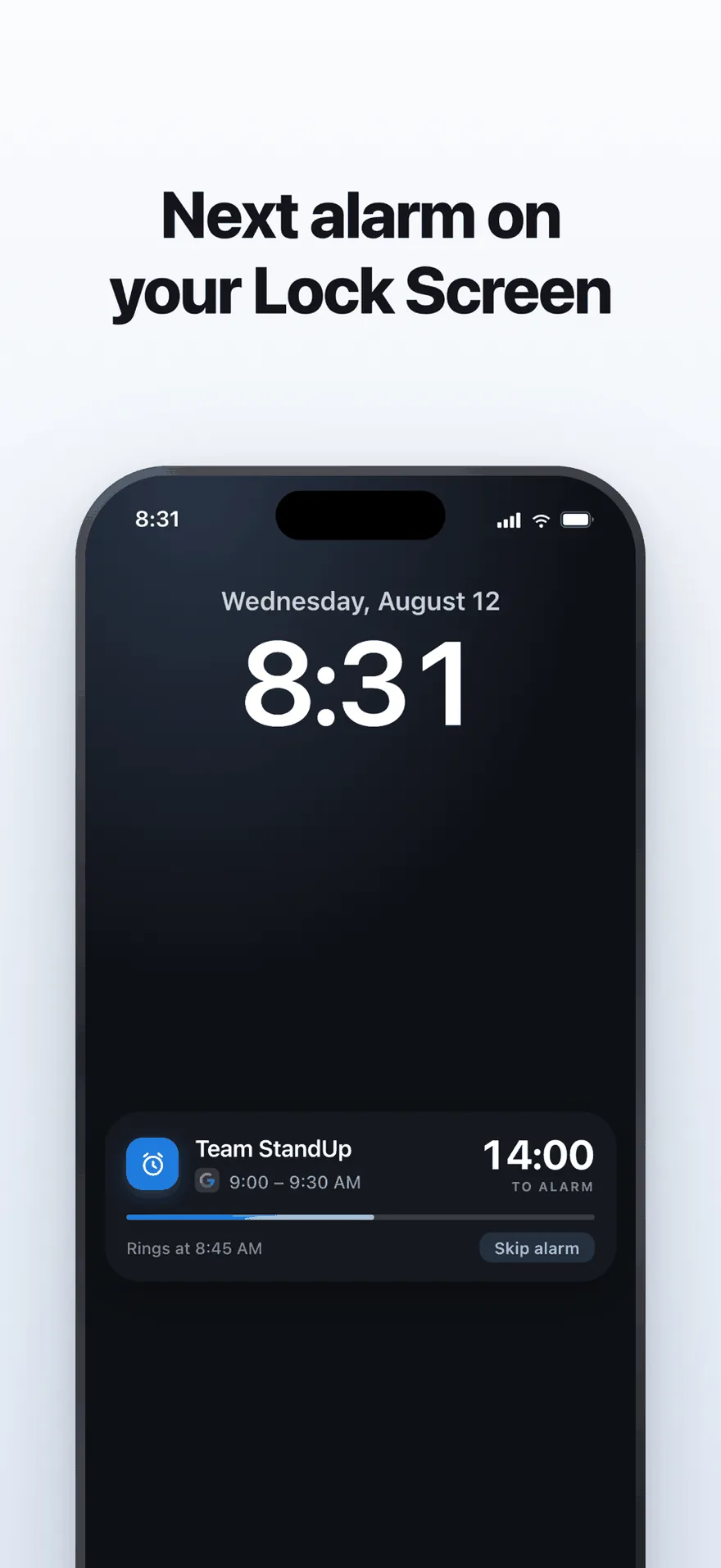
A live countdown on the Lock Screen, with one tap to skip an alarm.
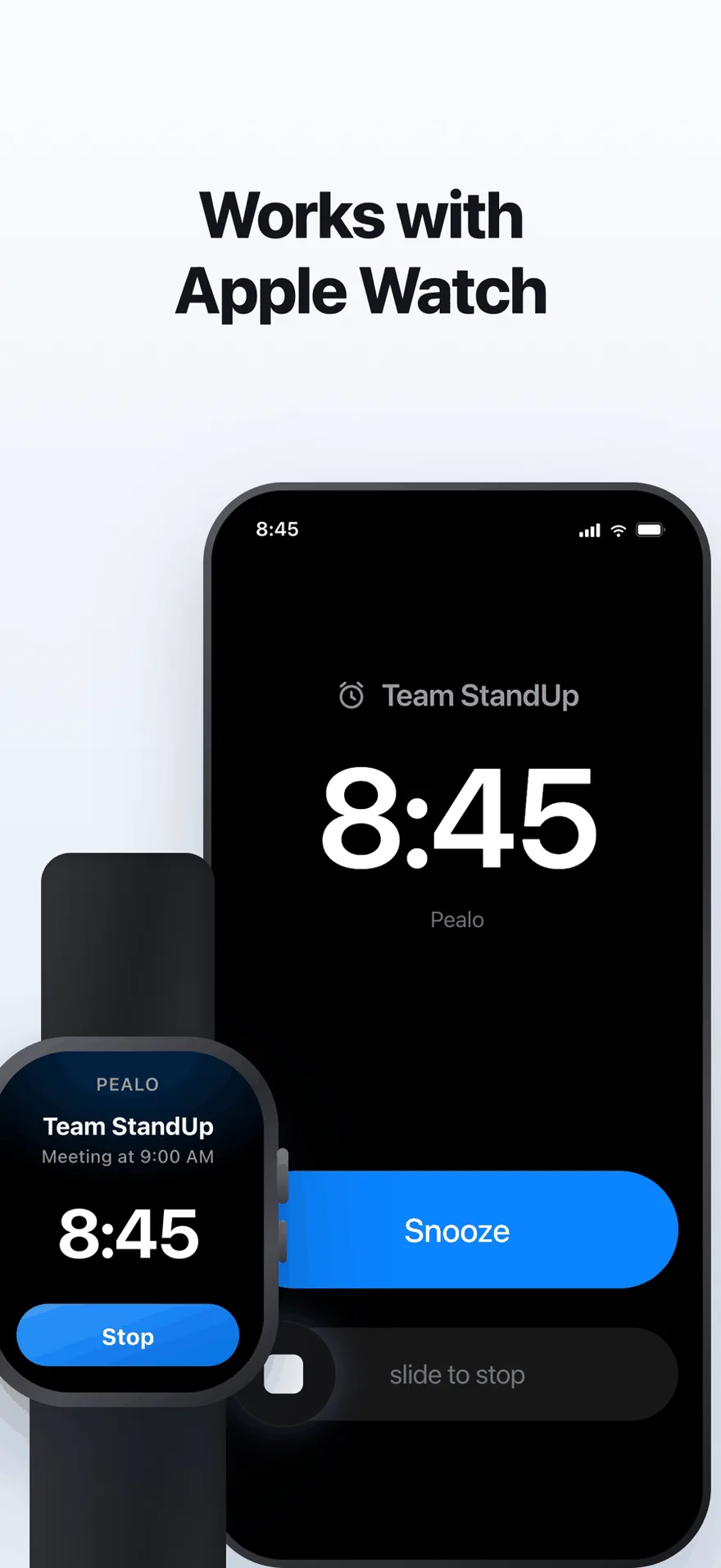
The same alarm on Apple Watch. No extra setup.
Still deciding?
Seven days free is faster than reading another answer.
Download on the App StoreSeven days free, then $49.99 a year
Pealo on every device