In development · Pealo for Android
Android calendar alarms that will ring past Do Not Disturb
Pealo for Android will read your Google Calendar and Outlook accounts and set a real Android alarm before every meeting, ringing through silent mode and Do Not Disturb even with the app closed.
- Google Calendar
- Outlook
- Exchange
- Android 12+
PEALO ALARM
8:45
Team StandUp
Meeting at 9:00 AM
Silent Mode was on
Reads events from:
- Google Calendar
- Outlook
- Exchange
- Office 365
- Samsung Calendar
In development
Pealo for Android is coming
The Android app is in development. Join the list and you will hear the moment it reaches Google Play.
One email when it ships, nothing else. Unsubscribe with one click.
What is Pealo for Android?
Pealo for Android is in development. When it ships it will turn Google Calendar, Outlook and Exchange events into real alarms through the system alarm clock, so they ring past silent mode and Do Not Disturb with nothing left open. There is no Google Play release yet.
Pealo for Android is in development, there is no release date, and the waiting list above is open; the iPhone app is the only version that rings today.
Why it feels different
Real mornings, real alarms
How it works
How does Pealo work on Android?
Connect, choose a lead time, and put the phone down. Android does the rest.
CONNECTED
- greg@pealo.app✓ Google
- greg@gmail.com✓ Google
- greg@uni.edu✓ Outlook
1Connect your calendars
Sign in to Google, Outlook or Exchange and pick which of your calendars are allowed to create alarms.
RING BEFORE MEETING
- 5 minutes
- 15 minutesSELECTED
- 30 minutes
2Choose how early
One lead time for everything, from the moment the meeting starts to an hour ahead, with per-calendar overrides.
THIS WEEK
- Client callARMED
- Team StandUpMOVED
- DentistREMOVED
3Grant the alarm permission
Android asks once for permission to schedule exact alarms. After that Pealo never needs to be running.
Real alarms
Do Pealo alarms ring through Do Not Disturb on Android?
Yes. Android treats alarms as their own category, separate from notifications, and lets them through silent mode and Do Not Disturb by default. Pealo uses that category, so the sound arrives even when everything else is muted.
MUTEDRINGINGFeatures
Everything Pealo does on Android
Built on the system alarm clock, not on notifications. The iPhone app already turns Google Calendar events into alarms, and the Android app will read the same accounts.
Real system alarms
Scheduled with Android as exact alarms, so they behave like the clock app rather than a reminder.
Past Do Not Disturb
Alarms are an allowed category, so they ring through DND and silent mode.
Full-screen alarm
Takes over the lock screen with stop and snooze, however deep in another app you were.
Unlimited accounts
Work Google, personal Google and an Outlook side by side, feeding one list of alarms.
Quiet hours
A window where nothing rings, for events in timezones that are not yours.
Skip rules
Ignore declined invitations, all-day entries and meetings shorter than you care about.
Home screen widget
Next alarm and countdown on the home screen, no need to open anything.
Survives a reboot
Alarms are rescheduled automatically after the phone restarts.
Battery friendly
Calendar changes are pushed rather than polled, so nothing sits awake waiting.
Three controls
Pick the alarm that fits the meeting
Lead time
One setting covers every event, from the moment it starts to a full hour ahead.
Meeting 9:00 → alarm 8:45
Quiet hours
A window where nothing rings, so a 6am event in another timezone stays silent.
Quiet 22:00 – 07:30
Skip rules
Ignore declined invitations, all-day entries and meetings shorter than you care about.
Skip all-day · skip declined
Who it’s for
Who needs this on Android?
People with work and personal Google
Two accounts, one list of alarms, no switching.
Anyone living in Do Not Disturb
You turned everything off for a reason. Alarms are the exception you actually want.
Shift and field workers
A schedule that changes weekly in a calendar someone else maintains.
Students
A university timetable that moves, and lectures worth waking up for.
On the App Store
What does Pealo look like on iPhone?
Calendar Alarms — Pealo, version 1.0.1, on the App Store since 18 August 2026. Free to download; $9.99 a month or $49.99 a year once the 7-day trial ends. Our pricing page explains the iPhone subscription, the only plan that exists while Android is in development.
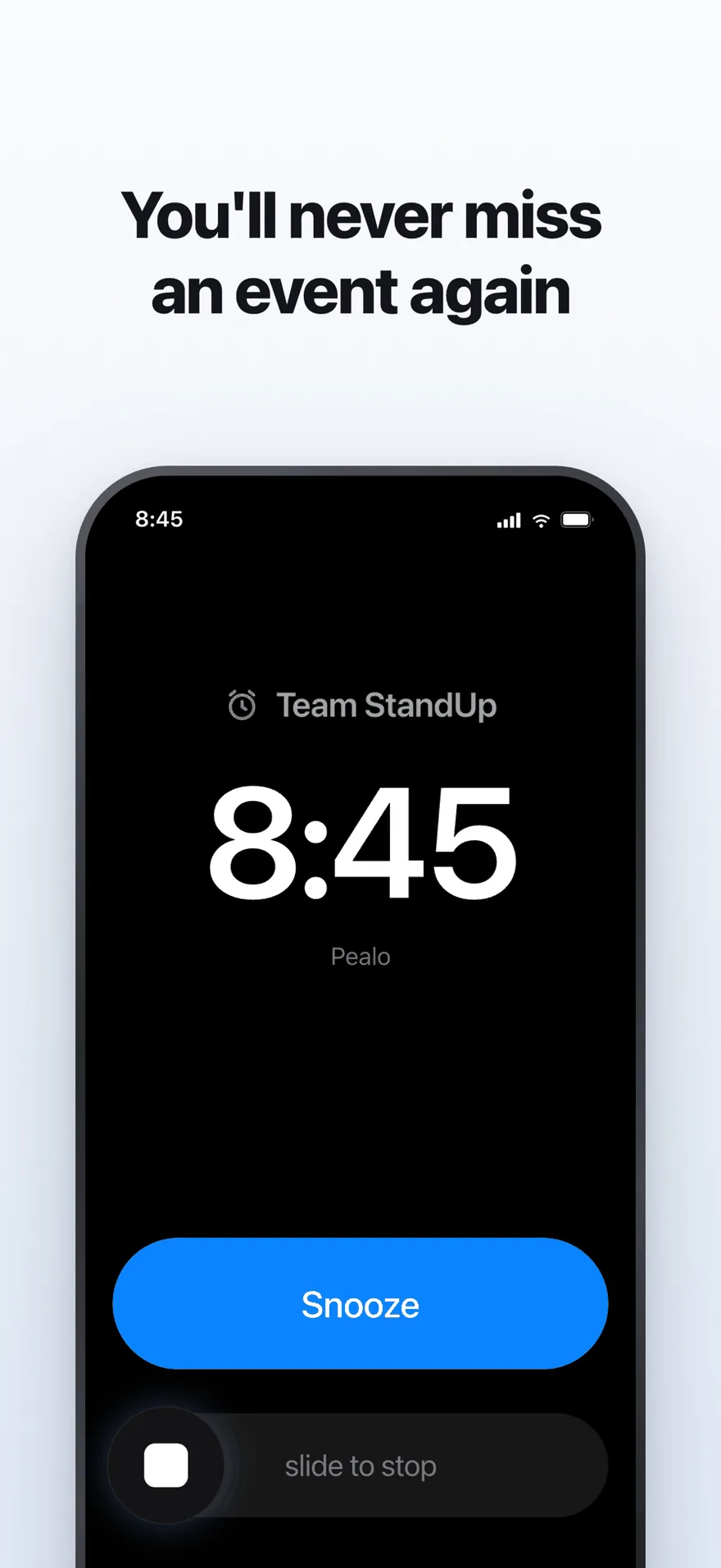
The alarm screen. It rings at full volume through Silent Mode and Focus.
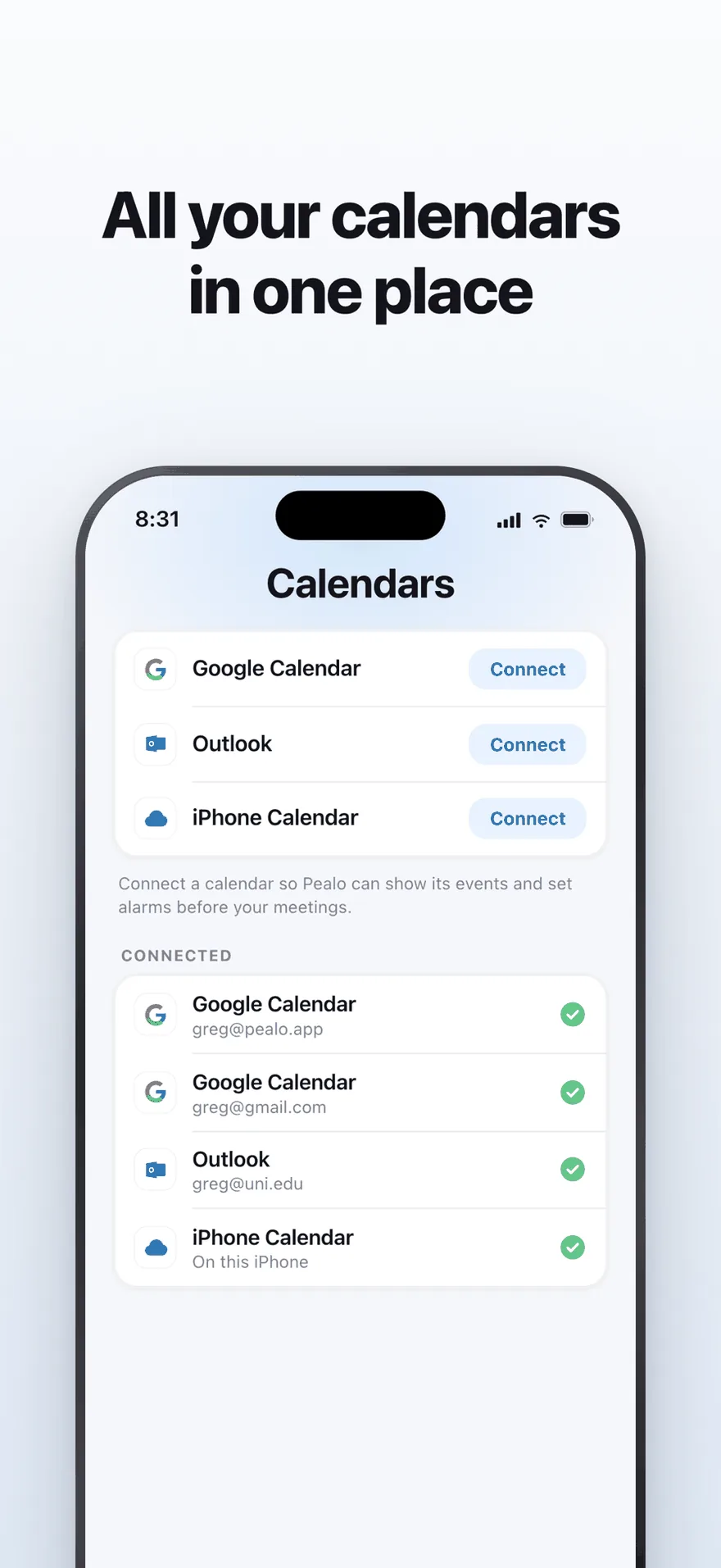
Google Calendar, Outlook and iPhone Calendar — several accounts at once.
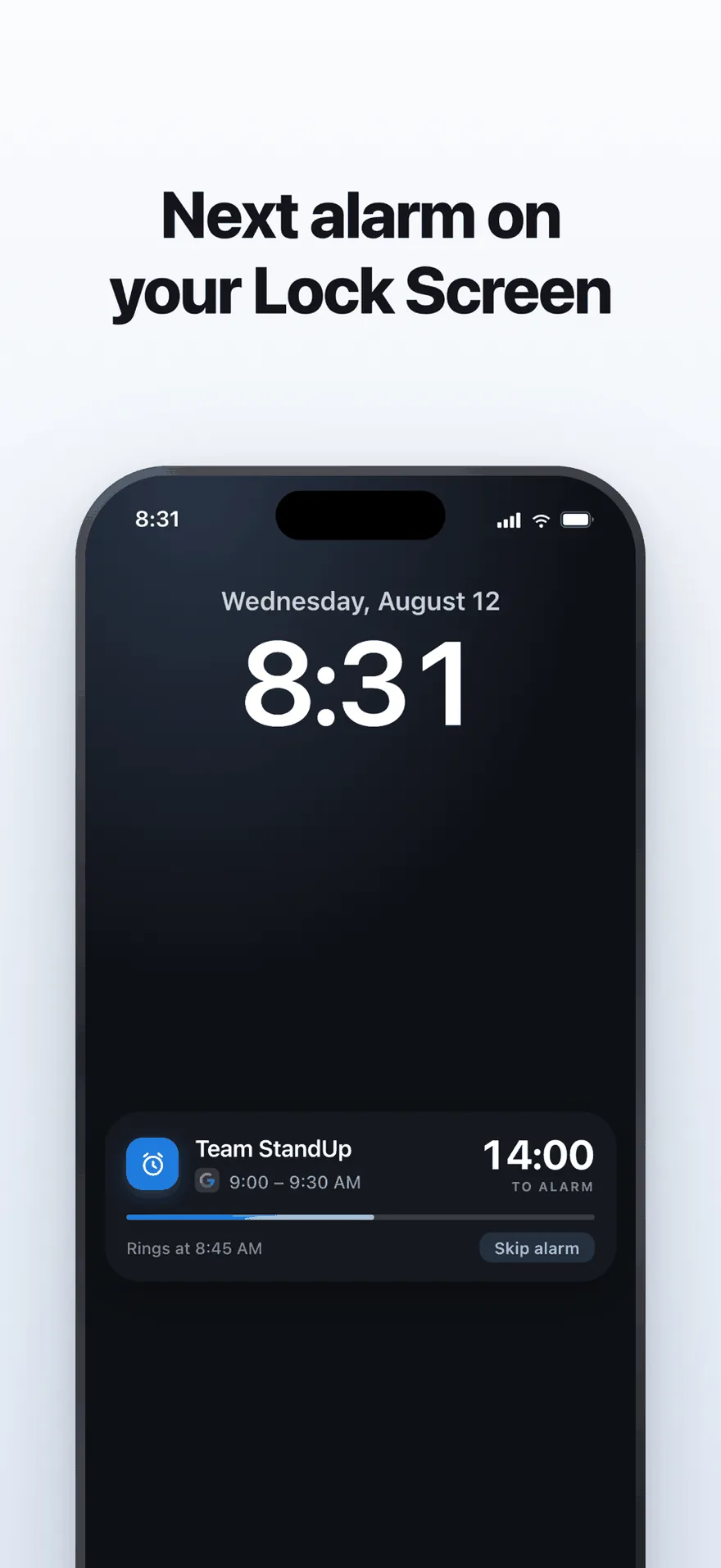
A live countdown on the Lock Screen, with one tap to skip an alarm.
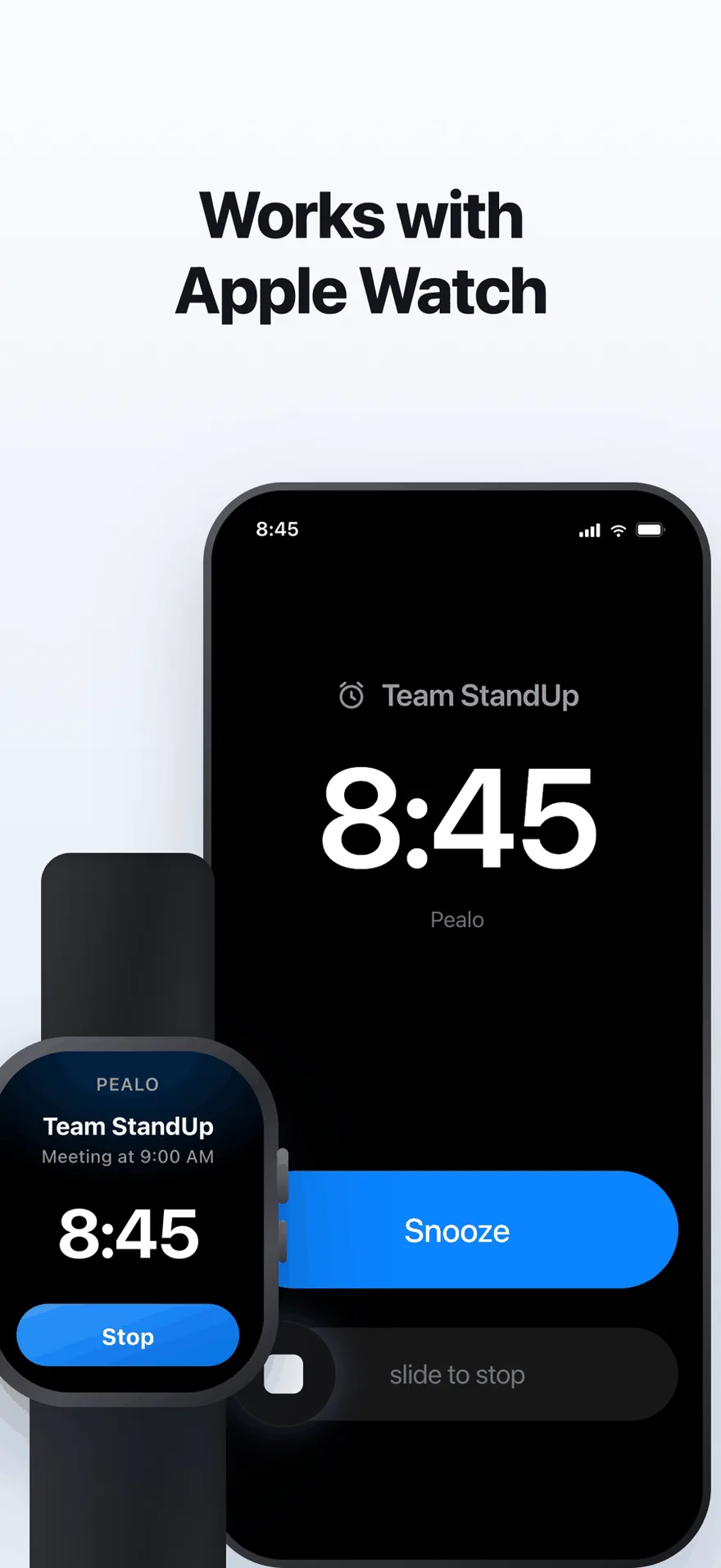
The same alarm on Apple Watch. No extra setup.
FAQ
Android questions
Will alarms ring through Do Not Disturb?
Yes. Android allows the alarm category through Do Not Disturb and silent mode by default, and Pealo will schedule real alarms rather than notifications.
Which permission will Pealo need?
Permission to schedule exact alarms, which Android will ask for once during setup. Without it the system cannot guarantee an alarm fires at the exact minute.
Will alarms survive a restart?
Yes. Pealo will reschedule its alarms after the phone reboots, so nothing is lost.
Which calendars will work on Android?
Google Calendar, Outlook, Exchange and Office 365, with several accounts of the same kind allowed at once.
Will the Android app be a separate purchase from Apple?
Yes. Google Play and the App Store manage subscriptions separately, so an Android subscription would be bought through Google Play. No Android price has been set.
Will it drain the battery?
No. Calendar changes will be pushed to the app rather than polled, and alarms are handed to Android to fire, so nothing runs in the background waiting.
Be first when it ships.
Join the waiting list and we will tell you the day it opens.
Join the Android waiting listNo release date yet · the iPhone app is what ships today
Pealo on every device