In development · Pealo for Mac
A Mac calendar alarm with a countdown in the menu bar
A countdown in the menu bar all day, and a full-screen alarm that will wake the display when the meeting is close. No more noticing the invite two minutes late.
- Menu bar countdown
- Wakes the display
- Google · Outlook · iCloud
8:45
Team StandUp
Meeting at 9:00 AM · greg@pealo.app
Reads events from:
- Google Calendar
- Outlook
- iCloud
- Office 365
- Fastmail
In development
Pealo for Mac is coming
The menu bar countdown and the full-screen alarm are being built now. Join the list and we will tell you the day it ships.
One email when it ships, nothing else. Unsubscribe with one click.
What is Pealo for Mac?
Pealo for Mac is in development. When it ships it will create real alarms from your Google Calendar, Outlook and iCloud events, keep a live countdown in the menu bar, and take over the screen when an alarm fires, waking the display. There is no Mac download yet.
Pealo for Mac is in development, there is no release date, and the waiting list above is open; the iPhone app is the version that ships today.
Why it feels different
Real mornings, real alarms
How it works
How does the Mac app work?
The Mac is where the meeting invite arrives and where you are least likely to notice it. Pealo closes that gap.
CONNECTED
- greg@pealo.app✓ Google
- greg@gmail.com✓ Google
- greg@uni.edu✓ Outlook
1Connect your calendars
Sign in to Google, Outlook or iCloud. Everything you connect anywhere shows up here too.
RING BEFORE MEETING
- 5 minutes
- 15 minutesSELECTED
- 30 minutes
2Watch the menu bar
The next alarm and a live countdown sit in the menu bar all day. Click for the rest of the schedule.
THIS WEEK
- Client callARMED
- Team StandUpMOVED
- DentistREMOVED
3Let it take the screen
When the alarm fires it moves to the front, wakes a sleeping display, and rings until you stop it.
Real alarms
Will it ring if my Mac notifications are off?
Yes. Pealo does not rely on notifications. The alarm is its own event: it takes the screen, plays through the system output, and keeps going until you stop it. Muted notifications and an active Focus make no difference.
MUTEDRINGINGFeatures
What the Mac app adds
Desktop-specific behaviour that a phone alarm cannot do. The iPhone app already reads Outlook and Office 365 calendars, and the Mac app will connect the same accounts.
Menu bar countdown
Next meeting and minutes remaining, always visible. No app to open, no tab to keep.
Wakes the display
A sleeping Mac still rings and lights the screen, so a lunchtime meeting does not pass unnoticed.
Full-screen alarm
The alarm comes to the front over whatever you are doing, including full-screen apps.
Rings past notification settings
It is an alarm, not a banner, so muted notifications and Focus do not silence it.
Snooze from the keyboard
Stop or snooze without reaching for the trackpad or unlocking anything.
Universal Purchase
Planned: an iPhone subscription would extend to the Mac app under the same Apple ID, once it ships.
Who it’s for
Who uses Pealo on Mac?
Deep-work people
Notifications off all morning by design. An alarm is the only thing that should interrupt.
Remote teams
Back-to-back calls in a calendar you did not fill in yourself.
Developers and designers
Full-screen editor, headphones on, no idea the stand-up started.
Sales and CS
A day made of scheduled calls where being two minutes late is visible to a client.
On the App Store
What does Pealo look like on iPhone?
Calendar Alarms — Pealo, version 1.0.1, on the App Store since 18 August 2026. Free to download; $9.99 a month or $49.99 a year once the 7-day trial ends. See the pricing page for what the iPhone subscription includes; it is the only plan you can buy today.
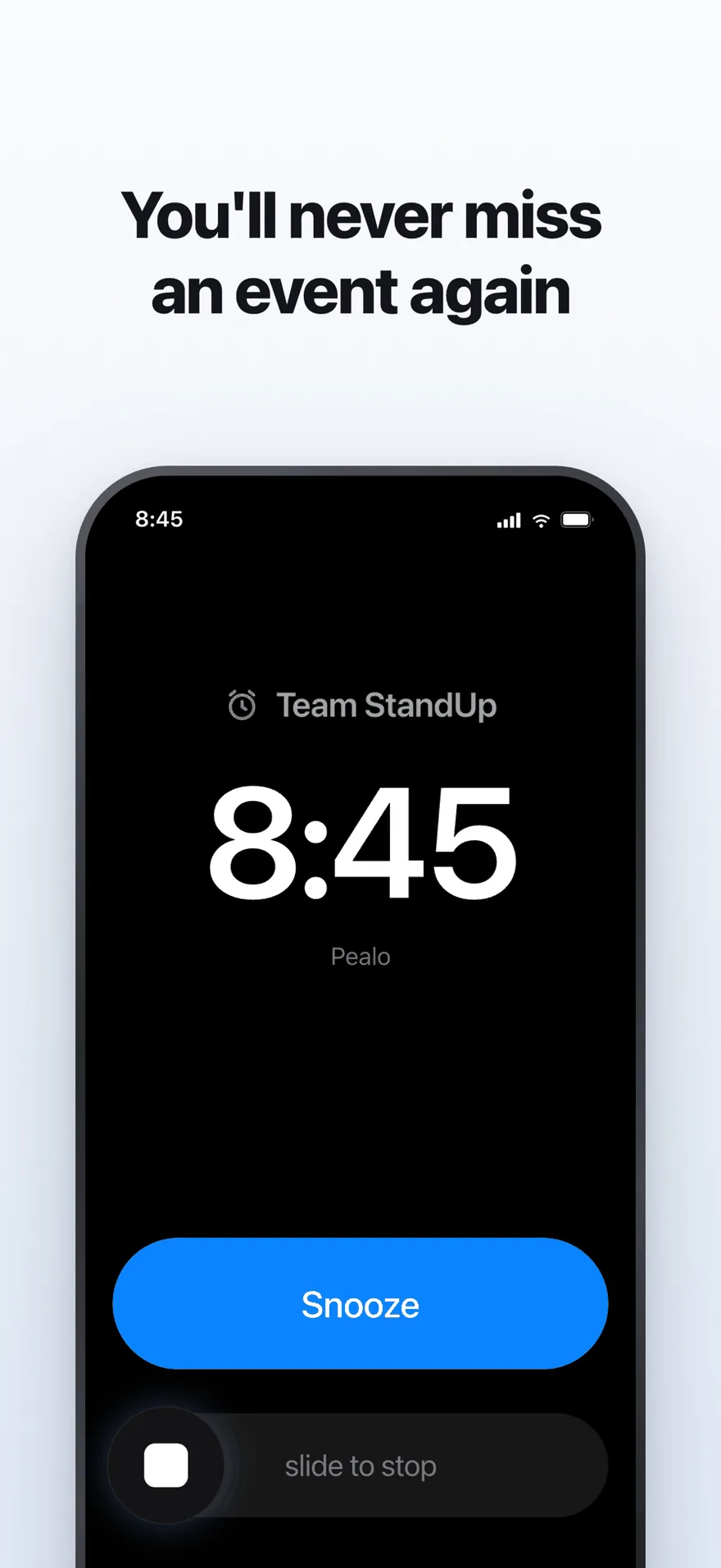
The alarm screen. It rings at full volume through Silent Mode and Focus.
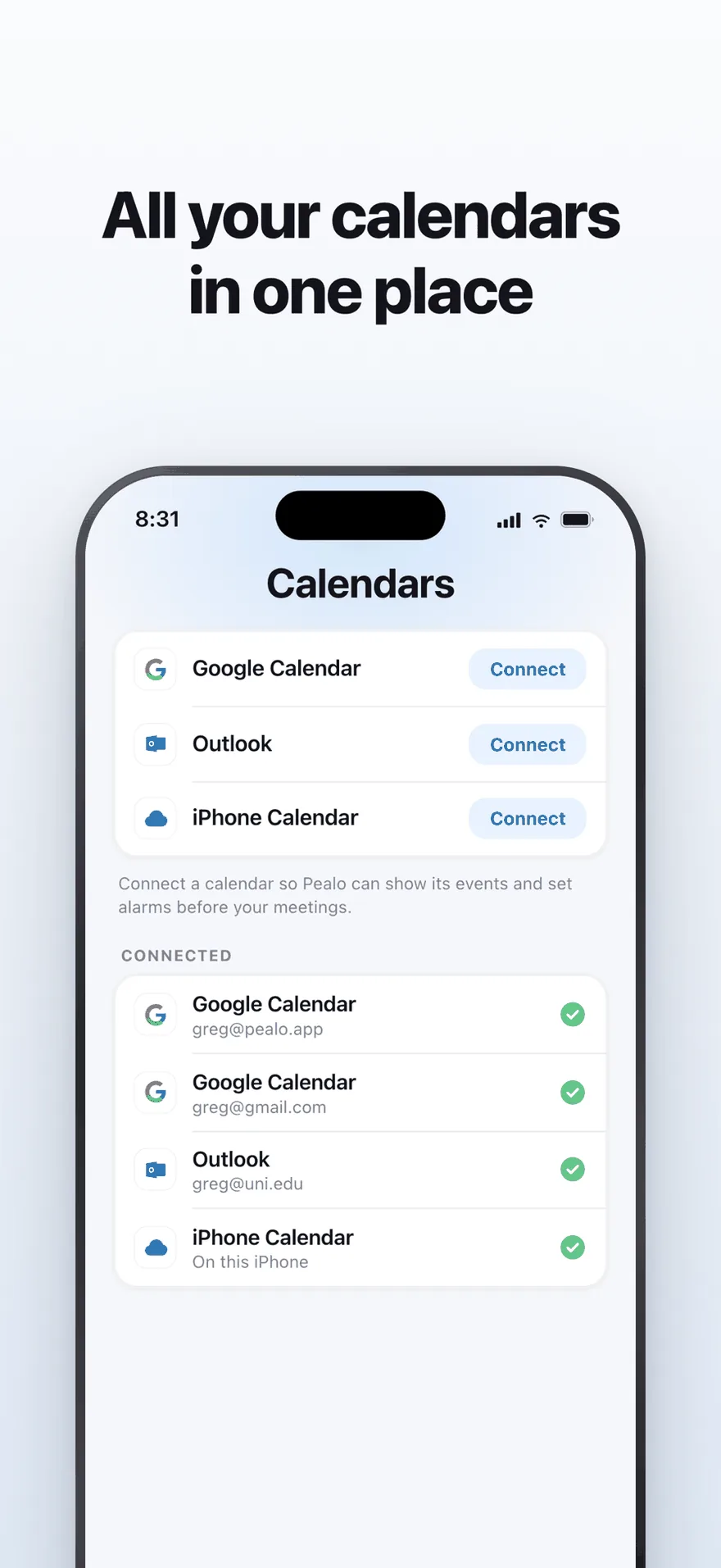
Google Calendar, Outlook and iPhone Calendar — several accounts at once.
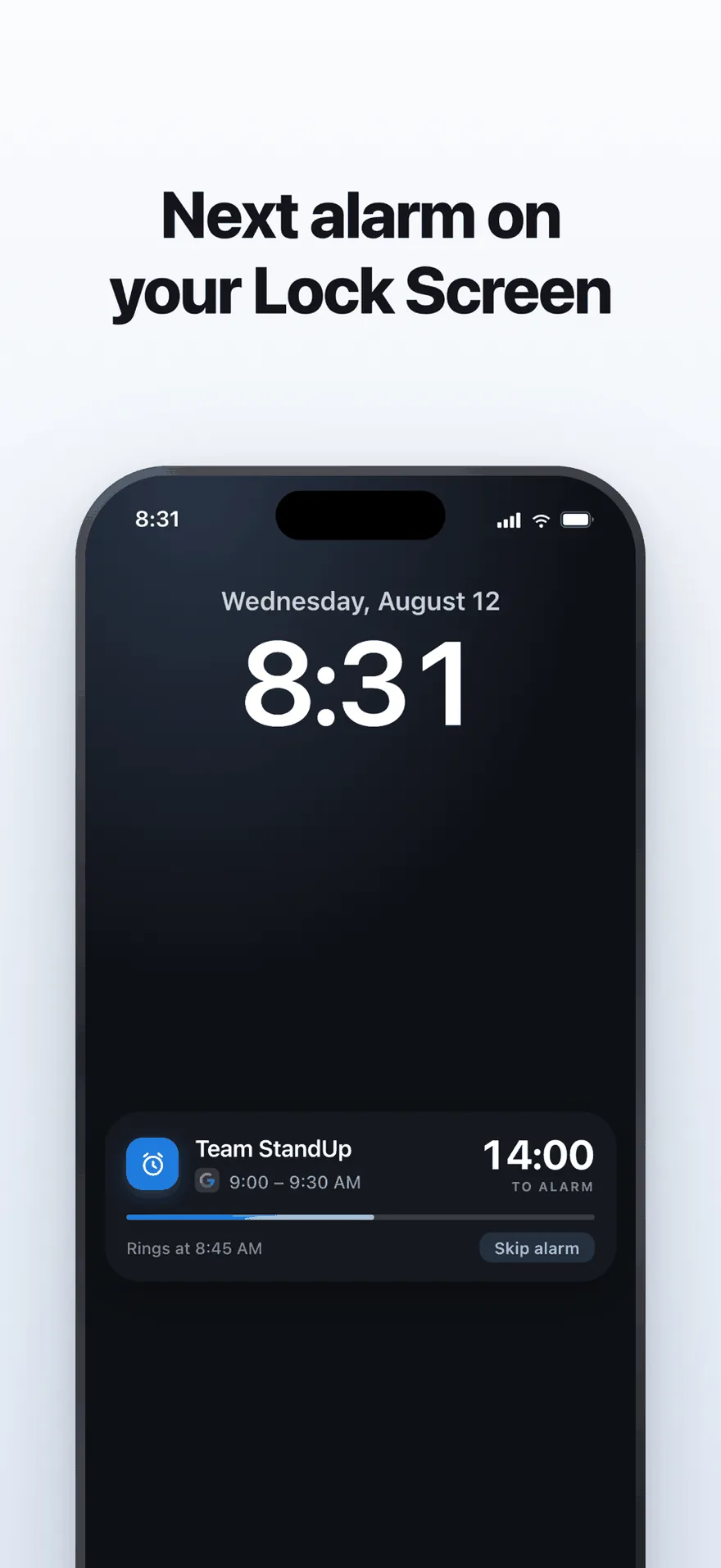
A live countdown on the Lock Screen, with one tap to skip an alarm.
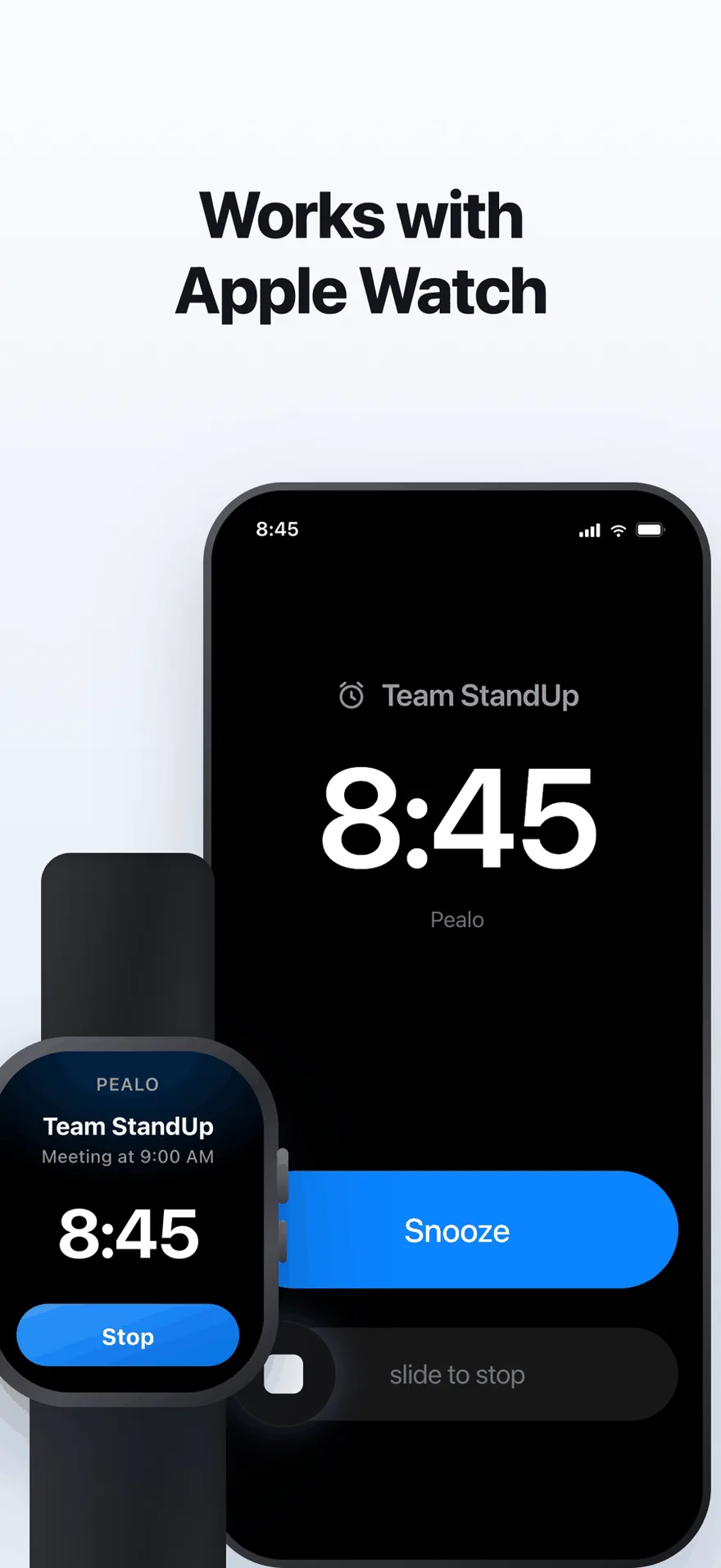
The same alarm on Apple Watch. No extra setup.
FAQ
Mac questions
Will the alarm work if my Mac is asleep?
That is the plan. Pealo will wake the display and ring at the scheduled time, so a meeting during a lunch break does not slip past.
Will it ring with notifications muted or Focus on?
Yes. The alarm is not a notification, so notification settings and Focus will not silence it. That is how the iPhone app behaves today.
Will the Mac app be a separate purchase?
No. Universal Purchase means the subscription you already have on iPhone will cover the Mac app when it ships.
Will the alarm cover full-screen apps?
That is the plan. It will come to the front over whatever is running, including full-screen video calls and editors.
Will the Mac app work without an iPhone?
Yes. You will connect your calendars on the Mac itself, so no other device is needed. There is nothing to download yet.
Be first when it ships.
Join the waiting list and we will tell you the day it opens.
Join the Mac waiting listNo release date yet · the iPhone app is what ships today
Pealo on every device