In development · Free web app
A free calendar alarm in a browser tab, nothing to install
Open a tab, connect a calendar, and Pealo will ring out loud before every meeting. Windows, Mac, Linux and ChromeOS. A free tier with one calendar connected is planned, and the waiting list is open now.
- Windows
- macOS
- Linux
- ChromeOS
- No account
8:45
Team StandUp
Meeting at 9:00 AM · greg@pealo.app
Runs on:
- Chrome
- Edge
- Safari
- Firefox
- Brave
In development
The free web app is coming
A calendar alarm in a browser tab, free and with no account. Join the list and we will send you the link when it opens.
One email when it ships, nothing else. Unsubscribe with one click.
What is the Pealo web app?
The Pealo web app is in development. It will be a calendar alarm that runs in a browser tab: connect Google Calendar or Outlook and it will ring out loud before each event, with a countdown in the tab title. A free tier with one calendar connected is planned, not available yet.
The web app is in development, there is no release date, and the waiting list above is open; the free tier is planned rather than available, and the iPhone app is what rings today.
Why it feels different
Real mornings, real alarms
How it works
How does the web app work?
Three steps and no installer. The whole thing will live in one tab you can leave open all day. The FAQ answers how Pealo alarms behave on the devices that already have it.
CONNECTED
- greg@pealo.app✓ Google
- greg@gmail.com✓ Google
- greg@uni.edu✓ Outlook
1Open pealo.app
No sign-up, no download, no email. The page opens straight into the alarm view.
RING BEFORE MEETING
- 5 minutes
- 15 minutesSELECTED
- 30 minutes
2Connect a calendar
Sign in to Google or Outlook and Pealo lists the events it will ring for.
THIS WEEK
- Client callARMED
- Team StandUpMOVED
- DentistREMOVED
3Leave the tab open
The countdown shows in the tab title. When an alarm fires the tab plays it out loud and comes to the front.
Real alarms
Can a browser tab really wake you up?
For desktop work, yes — as long as the tab stays open and the tab is not muted, the alarm plays at full volume and brings itself to the front. For alarms that fire with everything closed you need a native app: today that is the iPhone app, which schedules them with the operating system instead.
MUTEDRINGINGFeatures
What the free web app does
Everything planned for the free web app, including a free tier with one calendar connected. None of it is available yet.
Countdown in the tab title
The next alarm is visible in the tab strip, so you can see it while working in another window.
Rings out loud
Audio plays through the browser and ramps up over twenty seconds, whatever else is muted.
Works on Windows
The one place where there is no native Pealo. The browser covers it completely.
Install as an app
Add it to your dock or taskbar and it runs in its own window without browser chrome.
No account
Nothing to sign up for. Connect a calendar and close the tab whenever you like.
One calendar free
Connect one account at no cost. The paid apps add unlimited accounts and background alarms.
Who it’s for
Who uses the web app?
Windows users
There is no native Windows app. This is the full experience without one.
People trying Pealo out
See whether calendar alarms fix your problem before paying for anything.
Locked-down work laptops
No install permissions needed — it is a web page.
Second-screen setups
Park the tab on a spare monitor and treat it as the clock for the day.
On the App Store
What does Pealo look like on iPhone?
Calendar Alarms — Pealo, version 1.0.1, on the App Store since 18 August 2026. Free to download; $9.99 a month or $49.99 a year once the 7-day trial ends. The pricing page covers the iPhone subscription; the web app's free tier is planned, not on sale or available yet.
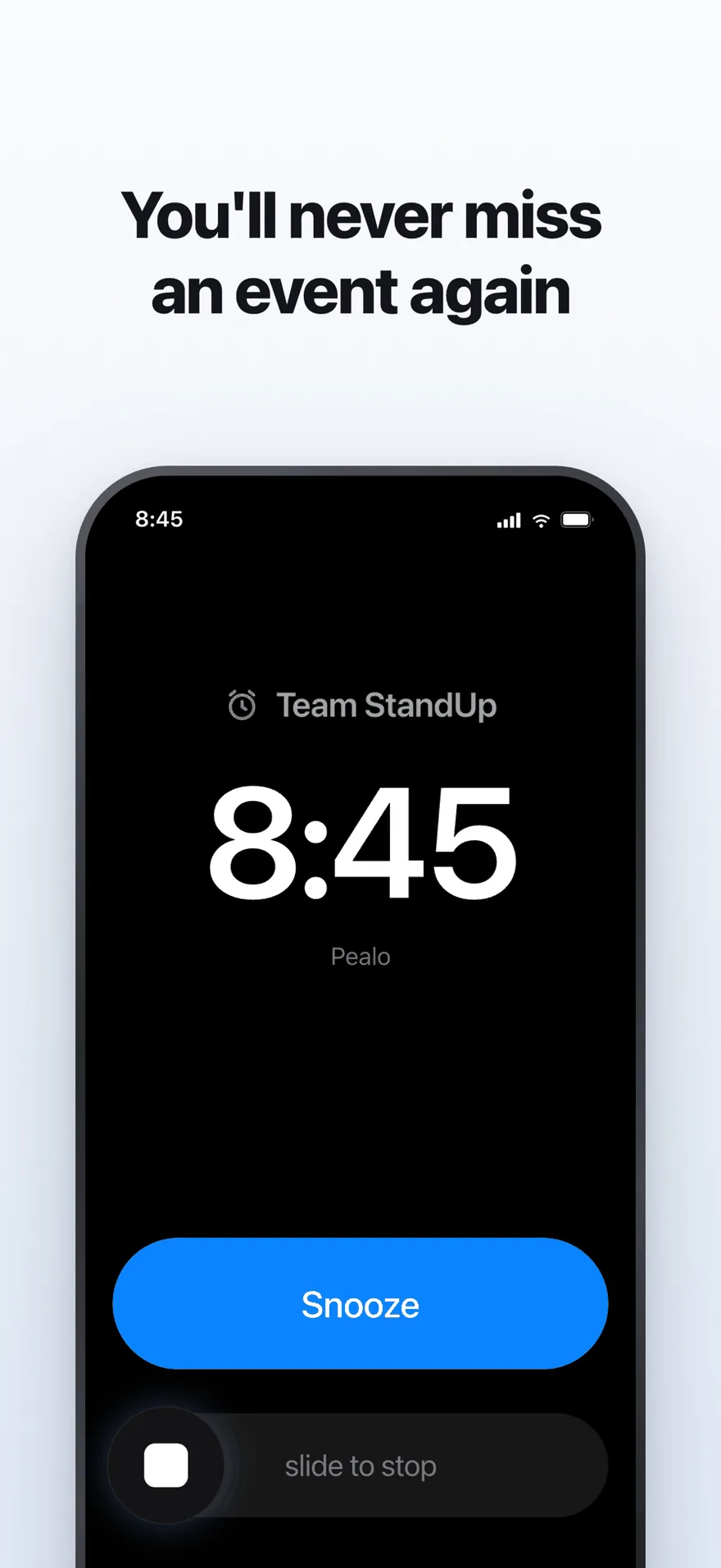
The alarm screen. It rings at full volume through Silent Mode and Focus.
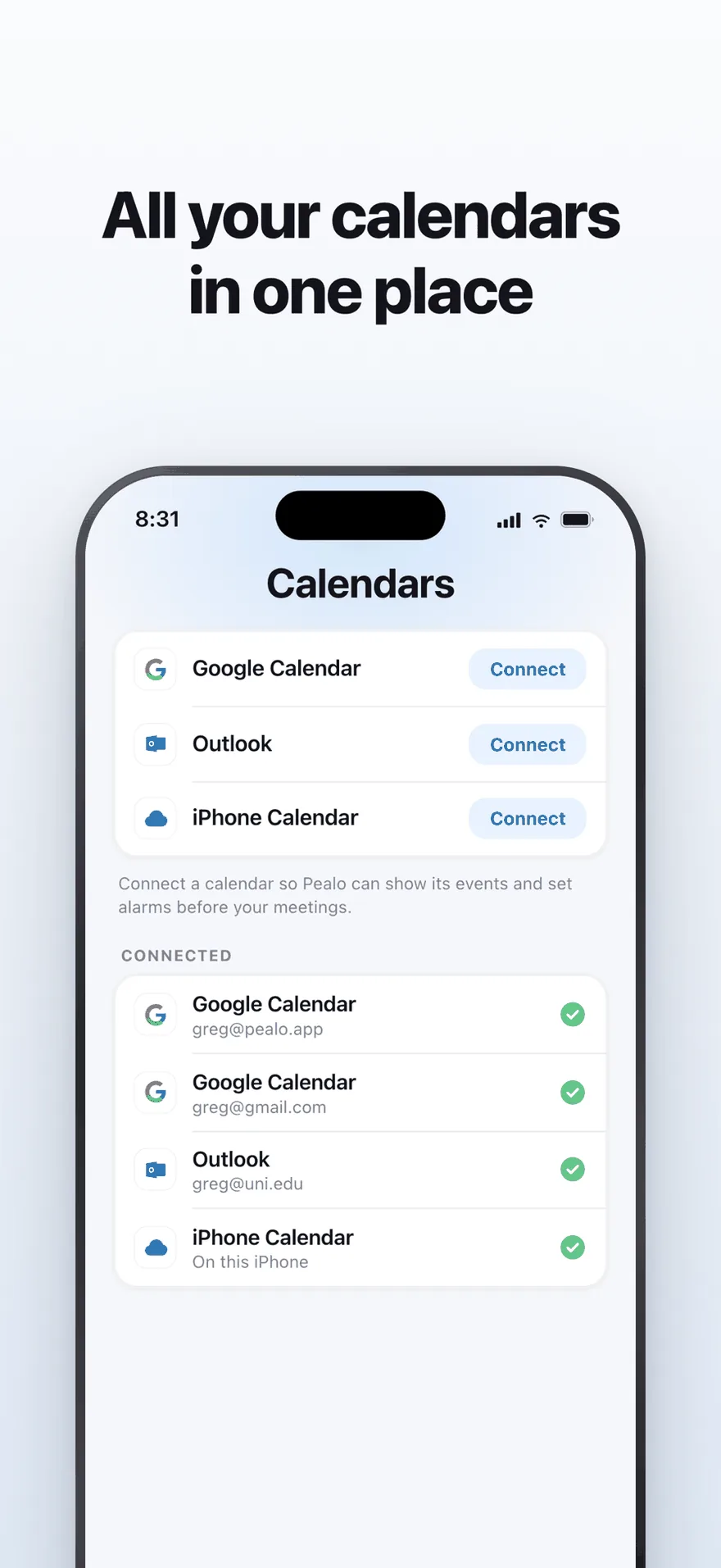
Google Calendar, Outlook and iPhone Calendar — several accounts at once.
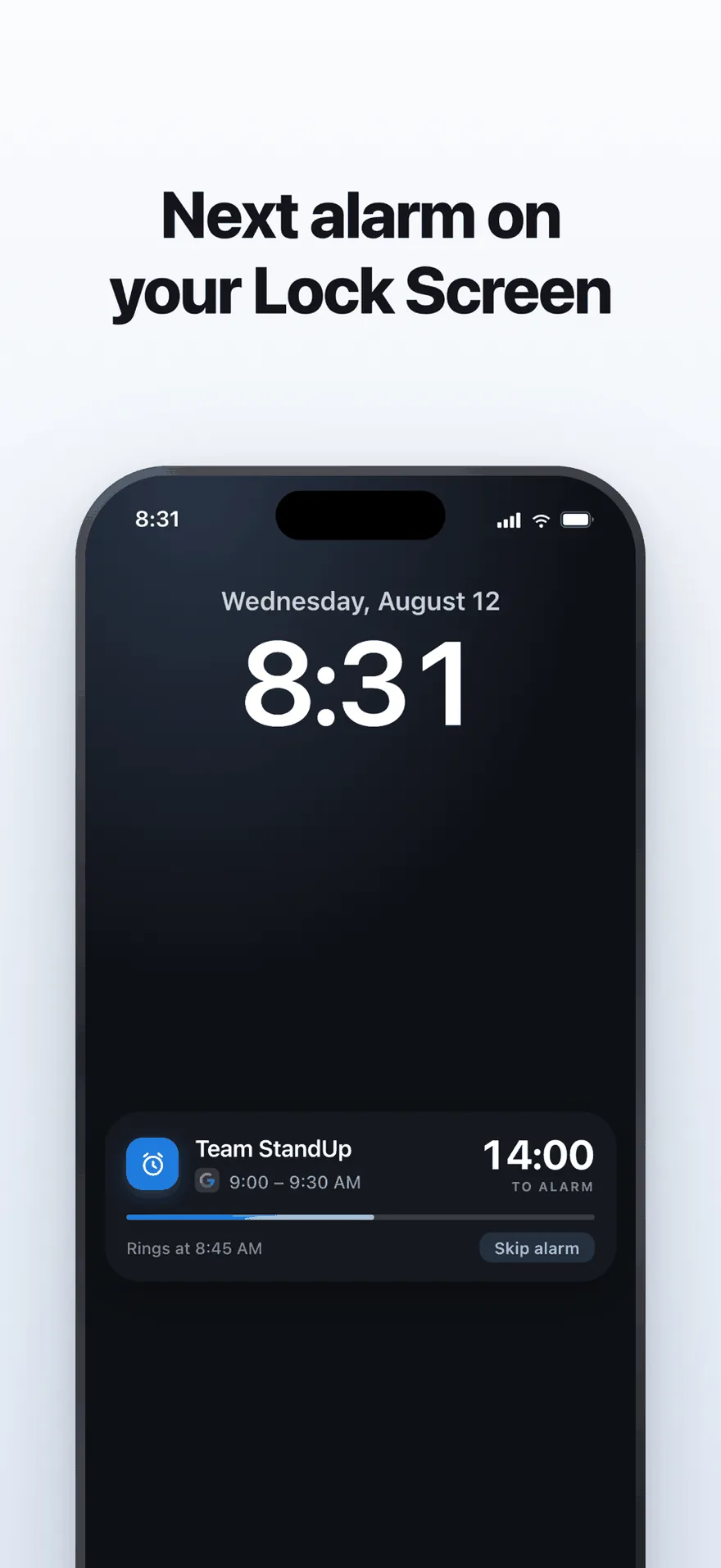
A live countdown on the Lock Screen, with one tap to skip an alarm.
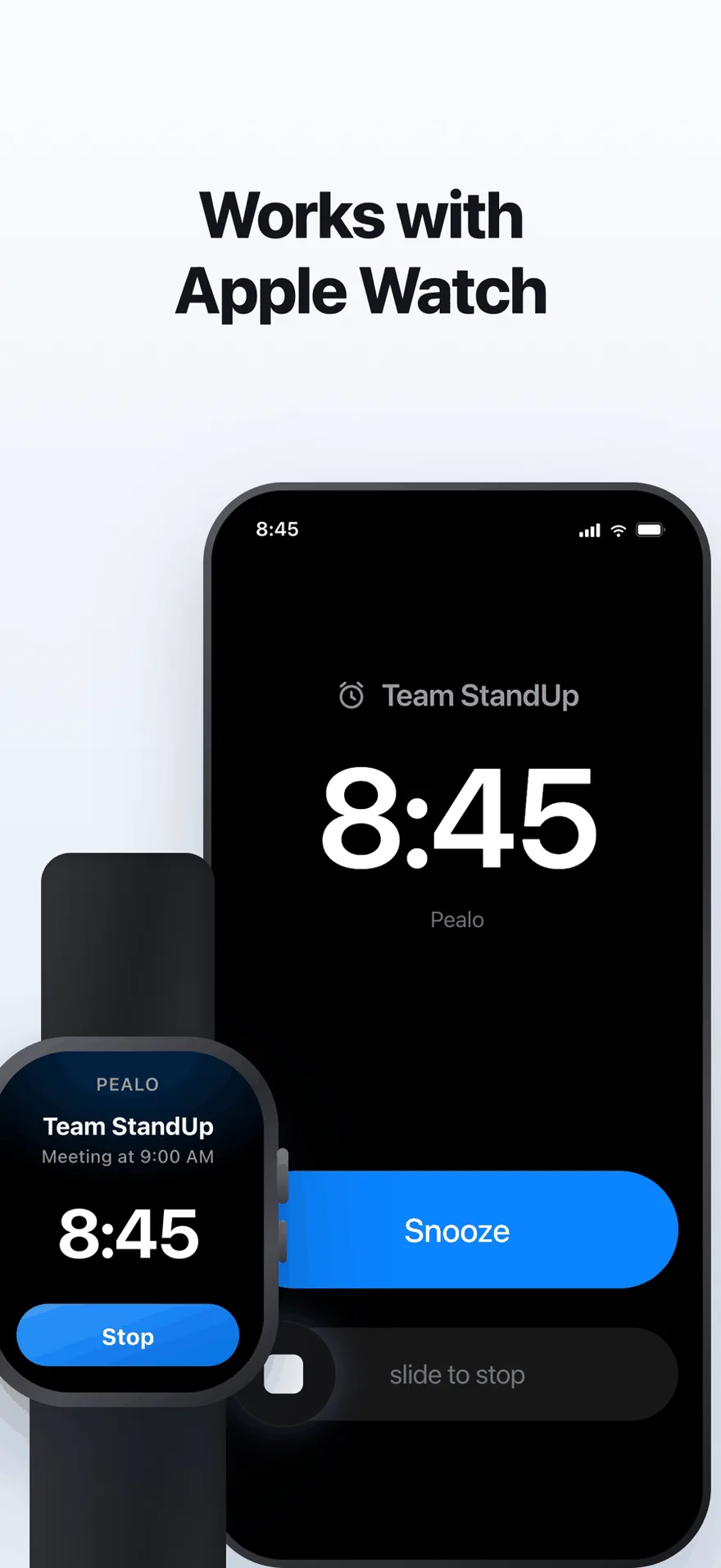
The same alarm on Apple Watch. No extra setup.
FAQ
Web app questions
Is the Pealo web app really free?
It will be. The web app is in development and will be free with one calendar connected, no account and no download. The paid iPhone app adds unlimited accounts and alarms that fire with everything closed.
Does it work if I close the tab?
No. A browser tab has to stay open to play audio. If you need alarms with nothing running, use the iPhone app, which hands the alarm to the operating system.
Does it work on Windows?
It will. The web app runs in Chrome, Edge, Firefox and Brave, which will be the recommended way to use Pealo on Windows. Join the waiting list above.
Will I be able to install it like an app?
That is planned. It will be installable to your dock or taskbar and then run in its own window without browser chrome.
Will I need an account?
No. You will connect a calendar and that is the only sign-in involved.
Be first when it ships.
Join the waiting list and we will tell you the day it opens.
Join the web app waiting listFree when it opens · Windows, Mac, Linux, ChromeOS
Pealo on every device